

Explore this layout
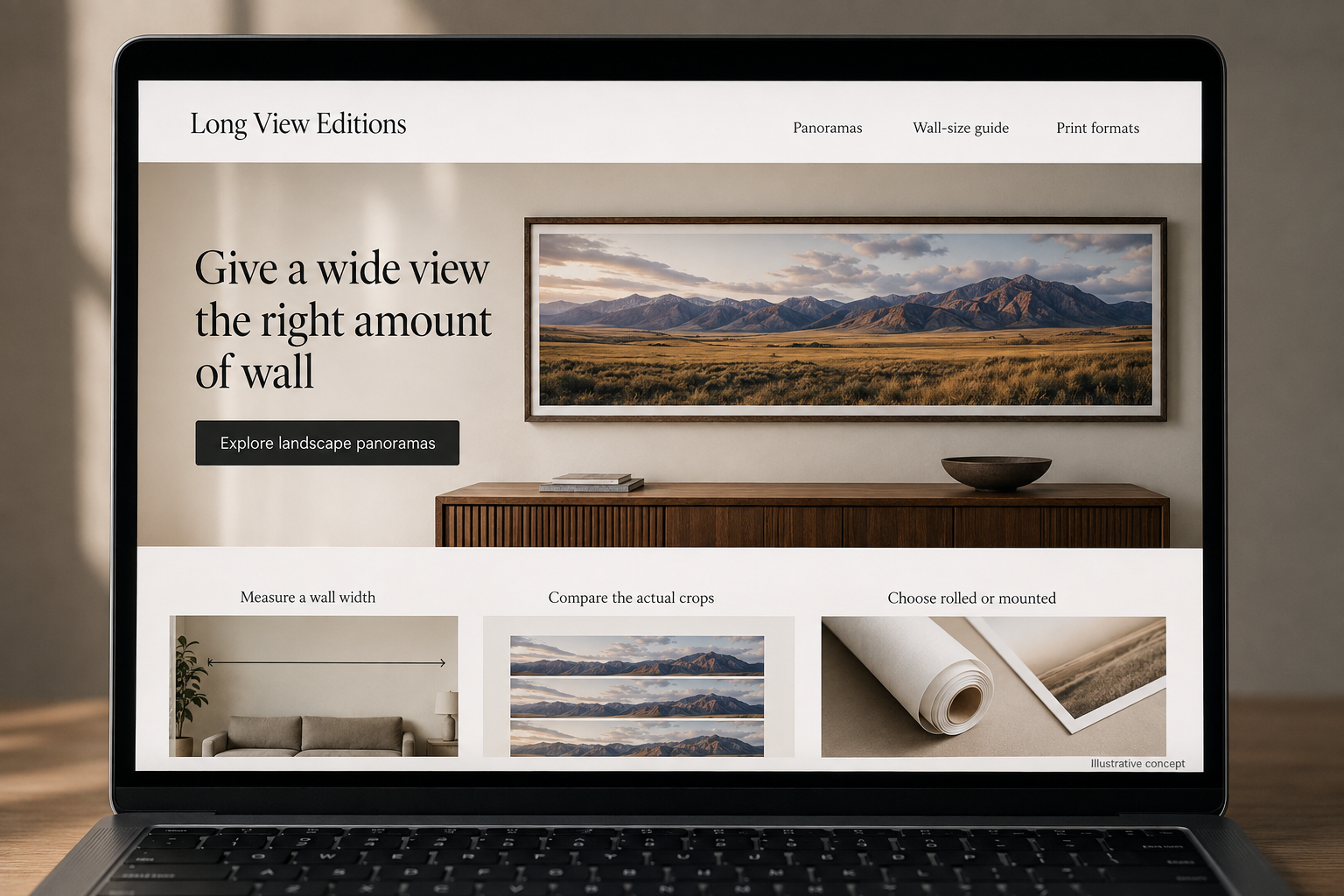
Give a wide view the right amount of wall
Compare panorama proportions, crops, and the format that arrives at your door.
The main action is “Explore landscape panoramas”. Supporting sections cover Measure a wall width, Compare the actual crops, Choose rolled or mounted.

A wide landscape panorama asks a different question from an ordinary small print: how will that long shape work on the wall? A hypothetical Wyoming print studio should make proportion the center of the buying experience. Customers need to compare crops, understand the delivered format, and plan the object’s arrival without mistaking a dramatic room rendering for its actual size.
Show width in relation to a real wall
List the image ratio and the exact dimensions of each available size. A wall preview can let the buyer enter a measured width, but it should explain which relationships the illustration represents. Include a simple printable or tape-measure planning guide for someone checking the space at home. Avoid stretching a room scene to flatter the artwork. The page should help a customer decide whether the panorama belongs above a particular piece of furniture or elsewhere.
Make every crop change visible
If sizes use different image proportions, preview the actual crop selected and show which edges change. Keep the complete composition available for comparison. A close-up can demonstrate print detail, but identify the scale of that view so it does not imply the same readability at every size. Describe the artwork’s source accurately and use consistent titles. A buyer returning to a saved image should not find that the selected size silently changes the scene they remember.
Compare delivered formats as separate objects
Explain rolled, flat, and mounted options using actual materials, outside dimensions, and packaging arrangements. State whether framing or hanging hardware is included. For mounted work, show thickness and edge treatment in a side view. If large formats require a different delivery process, reveal that before checkout and collect the necessary destination information. A customer should understand what they will unpack and which further display work remains after the parcel arrives.
Build planning pages around proportional choices
A guide can compare two panorama sizes on the same accurately measured example wall, explaining the visual and practical differences. Link to the exact artwork and formats shown. Keep examples labeled as illustrations unless they document actual installations with permission. Measure format switches, size-related questions, and delivery-review requests. Those interactions show whether customers can move from admiring a landscape to choosing a physical object that fits their home and delivery arrangements.
Before you launch
- Preview the actual crop for every size ratio.
- Keep room-scene proportions accurate.
- Show mounted thickness and edge treatment.
- Explain display work needed after rolled delivery.
Should the largest panorama be the default size in a room preview?
Use a clearly identified example and let the customer compare actual dimensions. A large default can be misleading if the selected purchase is much smaller. The preview should update with the chosen size and preserve the room’s proportions so the image helps with planning instead of merely making the artwork look impressive.