

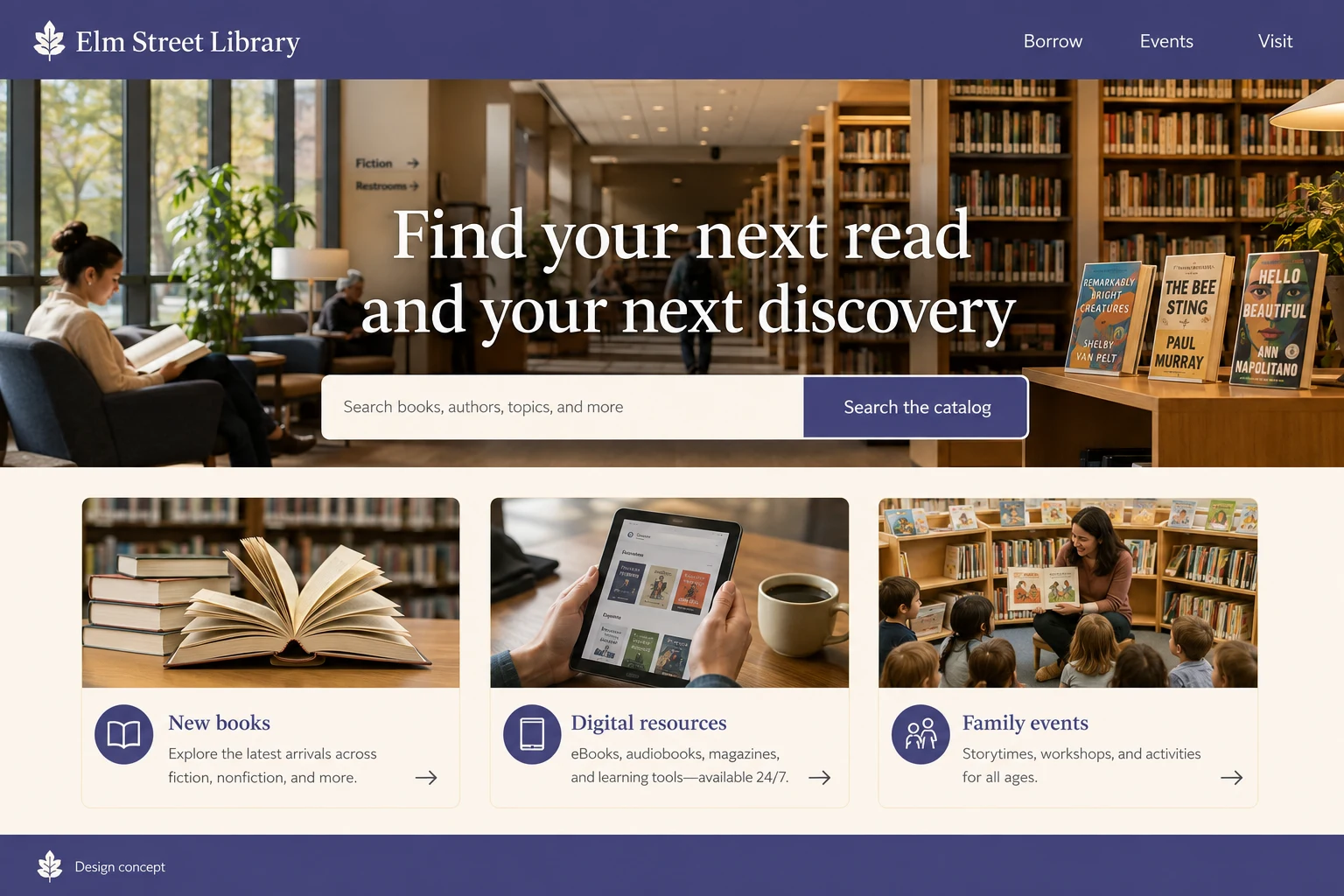
Give catalogue search a prominent place alongside opening hours and membership information. Visitors may also need digital resources, study spaces or help renewing an item.
Plan the customer’s next step
A visitor may arrive to renew a book, find a digital resource or learn whether a branch is open. The homepage should not make all three tasks compete with a large promotional banner. Give search and account access clear labels, then group practical branch information nearby. Events and room booking can have their own routes. Where an external catalogue handles authentication, explain that transition and retain an accessible help option for someone who cannot complete the online task.
Connect catalogue search with everyday library services
Describe borrowing rules and access requirements in readable steps. Events should show audience, location and registration needs, with accessible alternatives where a third-party catalogue creates barriers.
Prepare the library inquiry
Protect reading history and account data when integrating services. A general contact form should answer practical questions without asking people to publish card numbers or passwords.
Before this website launches
- Reach catalogue search and renewal through plainly named actions.
- Find current branch hours without using the catalogue system.
- Explain membership and digital-resource access requirements in readable steps.
- Check event registration identifies audience, location and any fees.
- Keep card numbers, passwords and reading records out of general inquiries.
Keep the information useful after launch
Coordinate opening-hours and event updates with branch staff rather than leaving them inside an infrequently edited promotional page. Test catalogue search, renewal and a digital-resource link with clear fictional scenarios. If an external tool fails, visitors should still find help without sharing passwords in a contact message. Ask staff which practical questions are most frequent and improve the relevant service information. Review accessibility across the catalogue transition and keep reading records separate from general visitor analytics.
Discuss your library website.
Bring your service information, audience needs and preferred project budget to the first conversation. Design and development are quoted separately from managed hosting.