

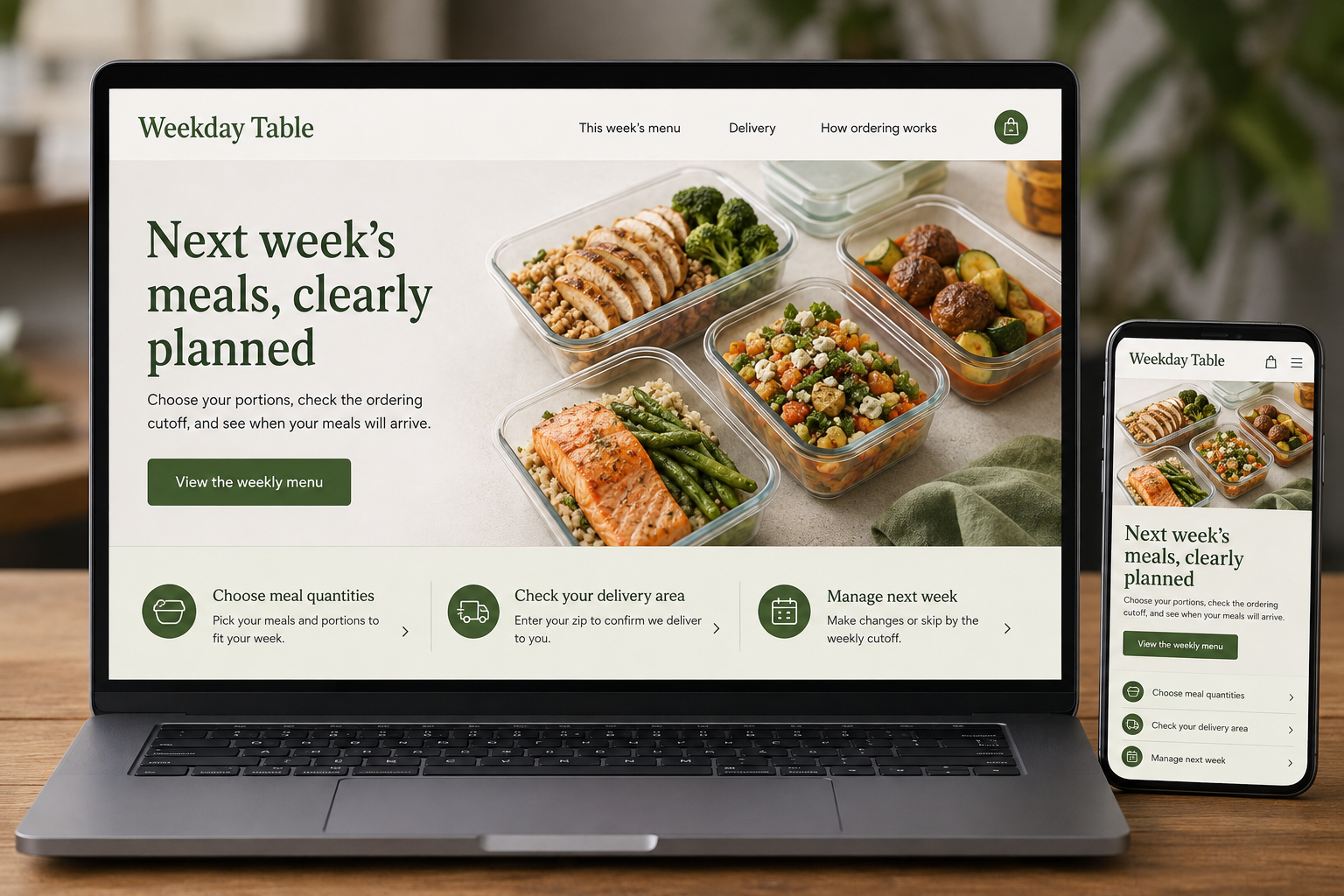
Explore this layout
Next week's meals, clearly planned
Choose your portions, check the ordering cutoff, and see when your meals will arrive.
The main action is “View the weekly menu”. Supporting sections cover Choose meal quantities, Check your delivery area, Manage next week.
Prepared-meal customers are trying to simplify a week that is already busy. They need to understand what they will receive, how much food it contains, and when it arrives. A website that hides ordering deadlines or changes the menu halfway through checkout creates another task instead of removing one. The design should make the entire weekly routine predictable and easy to review.
Give each menu a clear time period
Label the week or delivery date a menu applies to and display its ordering cutoff nearby. Separate current ordering from previews of a future menu. Product pages should show portion size, ingredients, and the storage or preparation information the business supplies. Present nutritional information only where accurately established. Avoid implying that choosing a particular meal treats a condition or guarantees a result; the useful promise here is a clearly described food order.
Make portions and bundles comparable
Explain whether meals serve one person or several and what sides are included. A bundle should list its contents and show how substitutions work before customers commit. If buyers choose a fixed number of meals, provide a visible progress summary and total. Do not make a single-meal photograph stand in for an entire weekly package. Customers need to judge variety, quantity, and price using the same units across the available options.
Put delivery boundaries before payment
Let customers check their address or collection location early. Show the applicable delivery day and explain how arrival information is communicated. Recurring orders need clear frequency, payment, menu-selection, and change arrangements. Distinguish skipping a week from cancelling a plan where both exist. An order confirmation should repeat the actual meals, quantities, and service date, so customers can spot a mistake while there is still a defined way to request a correction.
Improve the routine with customer evidence
Track completed weekly orders, repeat purchases, and support questions about missed cutoffs or unclear portions. Ask which information customers still need when the meals arrive, then improve the order page or confirmation. Publish practical content about navigating the service, such as comparing a fixed bundle with a choose-your-own order. Keep the writing focused on how the service operates. Broad lifestyle claims do less for a customer than a dependable explanation of next week's delivery.
Before you launch
- Label every menu with its service week
- Show cutoff before meal selection
- Repeat delivery date in confirmation
- Explain recurring-order changes
Should new customers have to subscribe?
A one-time order can let people assess the food and delivery routine before making a recurring commitment. If subscriptions are the only model, explain that immediately and make the terms of selection, billing, skipping, and cancellation easy to understand before the customer builds a menu.