

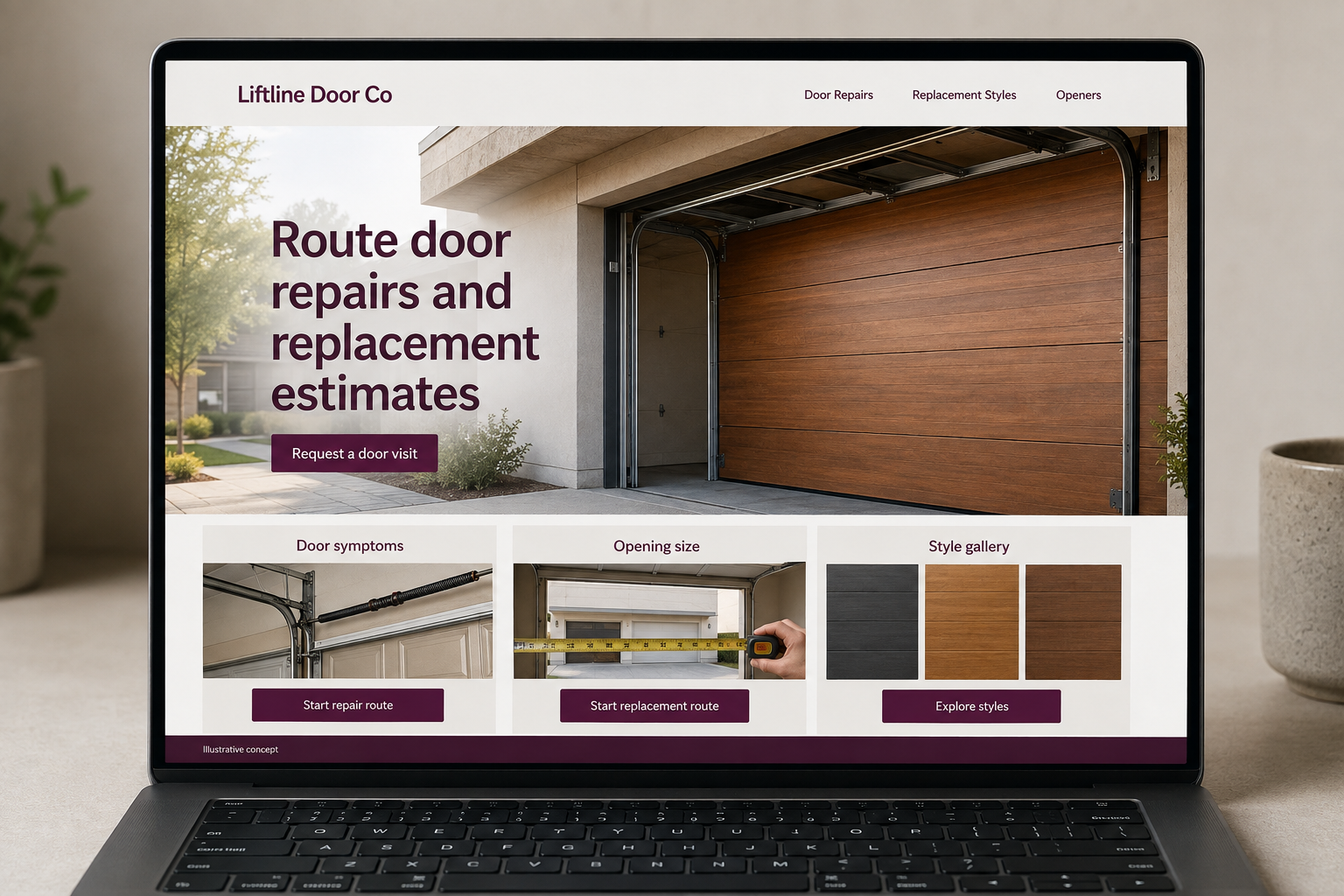
Explore this layout
Route door repairs and replacement estimates
Explore door symptoms, opening size, and style gallery.
The main action is “Request a door visit”. Supporting sections cover Door symptoms, Opening size, Style gallery.
A garage door website has to serve two very different moments: a customer trying to arrange a repair and a homeowner comparing replacement styles. Put both paths in view. The repair route should be quick and calm, while the replacement pages can take time to explain openings, options, measurement, and the installation conversation.
Split repair calls from door shopping
Someone with a door that will not operate needs a clear service contact, while a replacement buyer wants styles and an explanation of the installation process. Give both paths space on the homepage. State actual response hours and coverage. Do not ask visitors to diagnose springs or other components themselves. A symptom description and the property location are enough to begin routing a repair request to the right person in the business.
Show replacement doors in context
Use galleries that show the door on a building as well as close details. Explain the materials and styles actually offered, and distinguish product selection from a final installed quote. A customer should know that opening size and existing conditions need review. Keep opener information on a linked page when it helps. Avoid presenting every pictured accessory as included in a standard package if the business prices those choices separately during consultation.
Collect details the office can use
For repairs, ask what the customer observes, the door type if known, and a preferred contact route. For replacement, ask how many openings are involved and whether the customer has a style in mind. Photos can be optional and should not require unsafe access. Explain whether a visit is diagnostic or for measurement. The confirmation should make clear when the appointment still needs acceptance rather than showing an unreviewed request as booked.
Check the difference between clicks and jobs
Track repair calls and replacement inquiries separately so a popular style gallery does not hide weak service routing. Ask the office which details are often missing. If customers regularly confuse opener work with door replacement, improve those links and headings. Content about preparing an opening list can help buyers start a project. Measure accepted visits and useful estimates, then revise pages that repeatedly attract unsupported products or requests outside the actual service area.
Before you launch
- Show repair contact immediately
- Separate opener and door services
- Preserve selected replacement styles
- Explain measurement appointments
Should repair customers choose the failed component?
Ask them to describe what the door is doing instead. Many customers cannot identify a component reliably, and they should not need to investigate moving parts to complete a form. Let the service team discuss the concern and confirm the appropriate review through its normal intake process.