

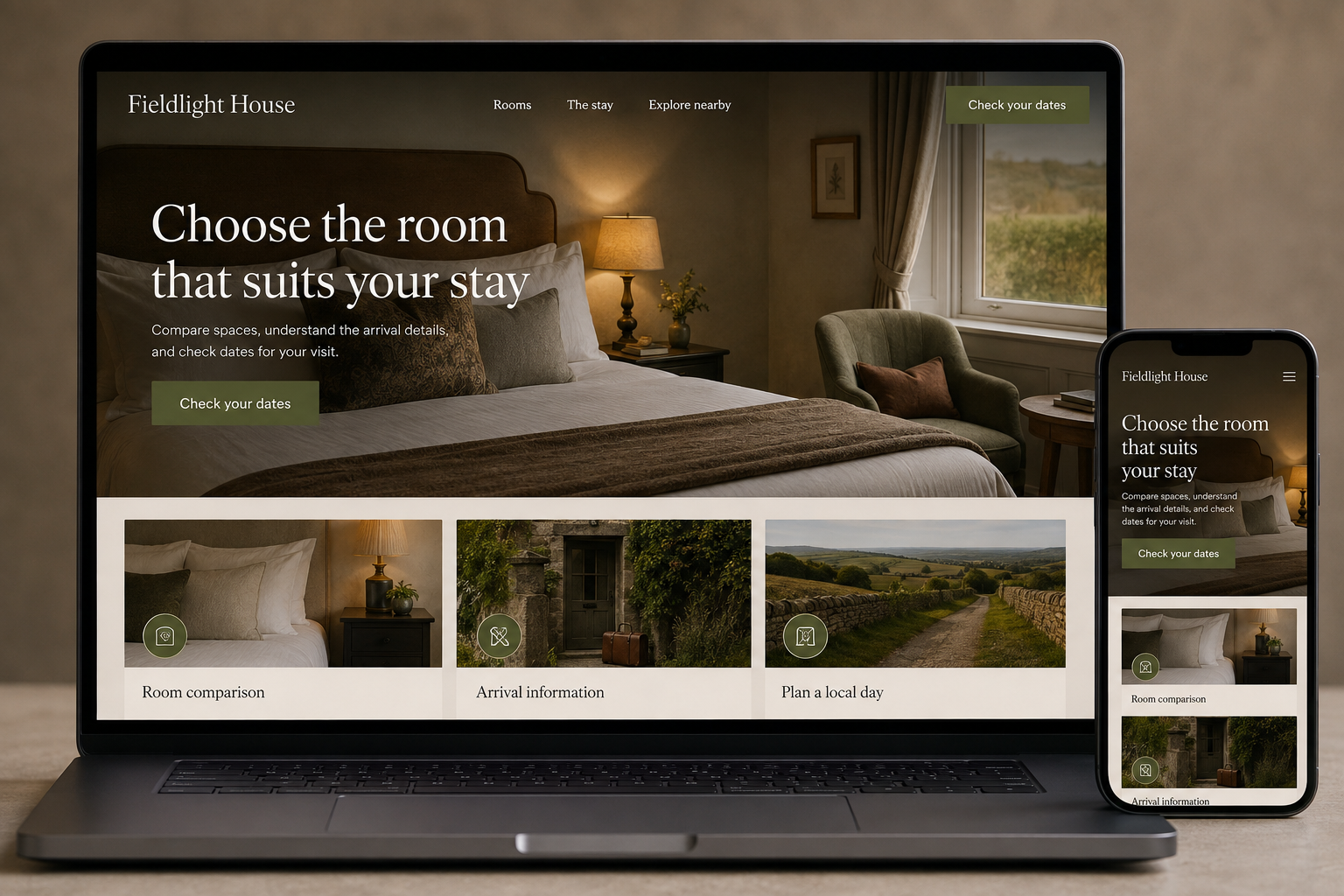
Explore this layout
Choose the room that suits your stay
Compare spaces, understand the arrival details, and check dates for your visit.
The main action is “Check your dates”. Supporting sections cover Room comparison, Arrival information, Plan a local day.
Guests comparing small hotels want more than an attractive bed photograph. They need to understand the room they can book, the arrangements that affect their stay, and whether the location works for their plans. A hotel website can communicate character while remaining practical. The strongest room pages make differences visible instead of presenting every category with the same description and a different name.
Make room categories genuinely comparable
Show bed configuration, occupancy, approximate room size where known, bathroom arrangements, and features that vary between rooms. Use photographs of the actual category and label representative images when individual rooms differ. Mention relevant access details with enough specificity for guests to ask informed questions. Avoid making the most spacious room's photograph stand in for the smallest category. A clear comparison helps visitors understand why two available options have different prices.
Keep booking terms close to the rate
Display the selected dates, guest count, room type, and included items throughout the booking flow. Make conditions for payment, cancellation, and changes easy to review before submission, using the actual terms provided by the property. If an external booking engine opens, preserve enough visual and contextual continuity that guests understand where they are. An inquiry should be labeled as an inquiry rather than appearing to confirm a reservation the hotel has not accepted.
Describe the stay between check-in and checkout
Explain arrival arrangements, breakfast format, parking if provided, and other practical services accurately. State when facilities operate and whether reservations or additional charges apply. Neighborhood content should help guests plan a realistic day, with distances or transport details checked before publication. Do not invent proximity or local expertise for search phrases. The most useful location page connects the property's actual position with the kinds of visits it can comfortably support.
Learn from booking questions
Track room comparisons, booking starts, completed reservations, and direct inquiries separately. Review messages about bed arrangements, arrival times, or included breakfast to identify gaps in the pages. Publish focused guides only where the property can maintain accurate recommendations and links. A small collection of dependable local information is easier for guests to use than a large set of generic attraction descriptions that quickly becomes stale or sends them in the wrong direction.
Before you launch
- Match photographs to room categories
- Repeat dates and occupancy at checkout
- Explain arrival outside reception hours
- Show what each rate includes
Should the hotel hide rates until dates are entered?
Availability-based rates usually require dates, but visitors still need to understand the room categories and booking process beforehand. Provide clear date controls and explain that the displayed offer depends on the stay selected. Avoid presenting a lowest possible price as though it applies to every visit.