

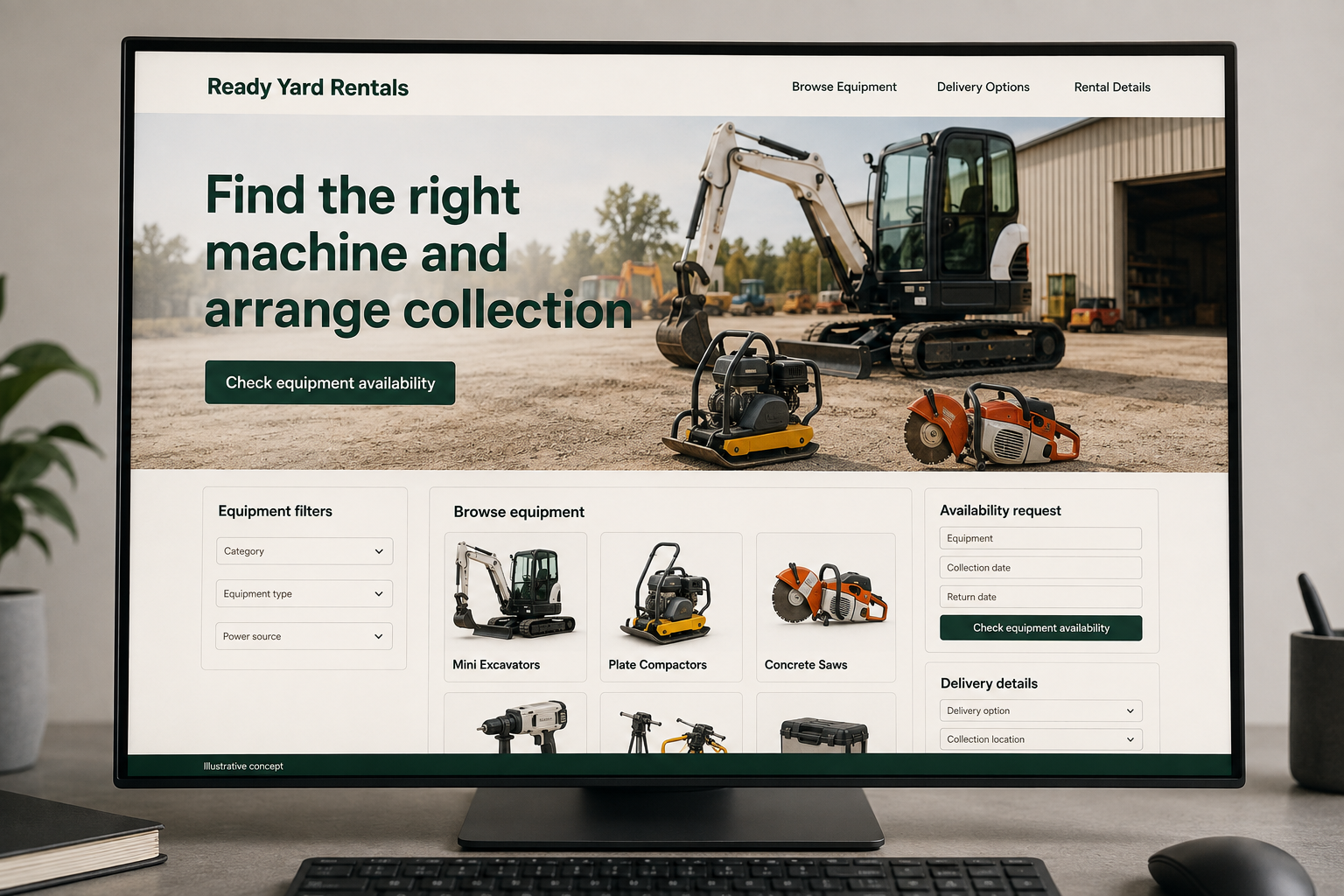
Explore this layout
Find the right machine and arrange collection
Explore equipment filters, availability request, and delivery details.
The main action is “Check equipment availability”. Supporting sections cover Equipment filters, Availability request, Delivery details.
Equipment renters may arrive with a model in mind or simply a job to do. Support both paths. A useful rental website combines clear product details with availability and logistics information, then explains whether the visitor is asking a question, requesting a reservation, or completing an arrangement that the rental business has actually accepted.
Organize equipment by the task it supports
A customer may know the job before knowing the right machine name. Offer task based routes alongside equipment categories and a search for experienced users. Each item needs clear specifications, dimensions, and the attachments actually available. Keep technical details tied to the exact model. The website should help customers build a shortlist while giving them a route to discuss suitability, rather than implying that selecting a category guarantees the equipment fits their site and intended work.
Separate rates from a complete rental arrangement
If rates are shown, explain the rental period and actual additional charges or conditions. State how delivery, collection, accessories, and availability are handled. Do not display a machine as available unless inventory supports that claim. A request button can be perfectly useful when labeled honestly. Customers need to know whether they are asking for a quote, reserving equipment, or completing a rental agreement, and which details must still be reviewed by the rental team.
Collect job and logistics details together
Ask which equipment or task is involved, the dates, location, and whether delivery is needed. Let visitors mention access constraints in plain language. Keep sensitive account documents out of an initial public form. If attachments are selected, carry them into the request so the customer does not repeat the list. Explain who confirms availability and requirements. A mobile customer should be able to call from an item page without losing the model they were viewing.
Measure useful requests rather than catalog traffic
Track searches with no results, equipment inquiries, and completed rentals separately. Repeated requests for unavailable attachments indicate a catalog explanation problem. Content about preparing a rental brief can help customers gather dimensions and logistics questions without becoming operating instructions. Link it from relevant equipment pages. Review the site with counter staff so filters, names, and request fields match the language customers use and the information the business actually needs before confirming a rental arrangement.
Before you launch
- Label availability accurately
- Explain rental periods and charges
- Carry attachments into inquiries
- Provide task based browsing
Should catalog listings show availability without an inventory connection?
Only state availability that the business can maintain accurately. Otherwise, label the action as a request and explain who confirms the dates and equipment. A clear inquiry route still helps customers plan; an apparently live promise that staff must later reverse creates confusion about whether their rental is arranged.