

Explore this layout
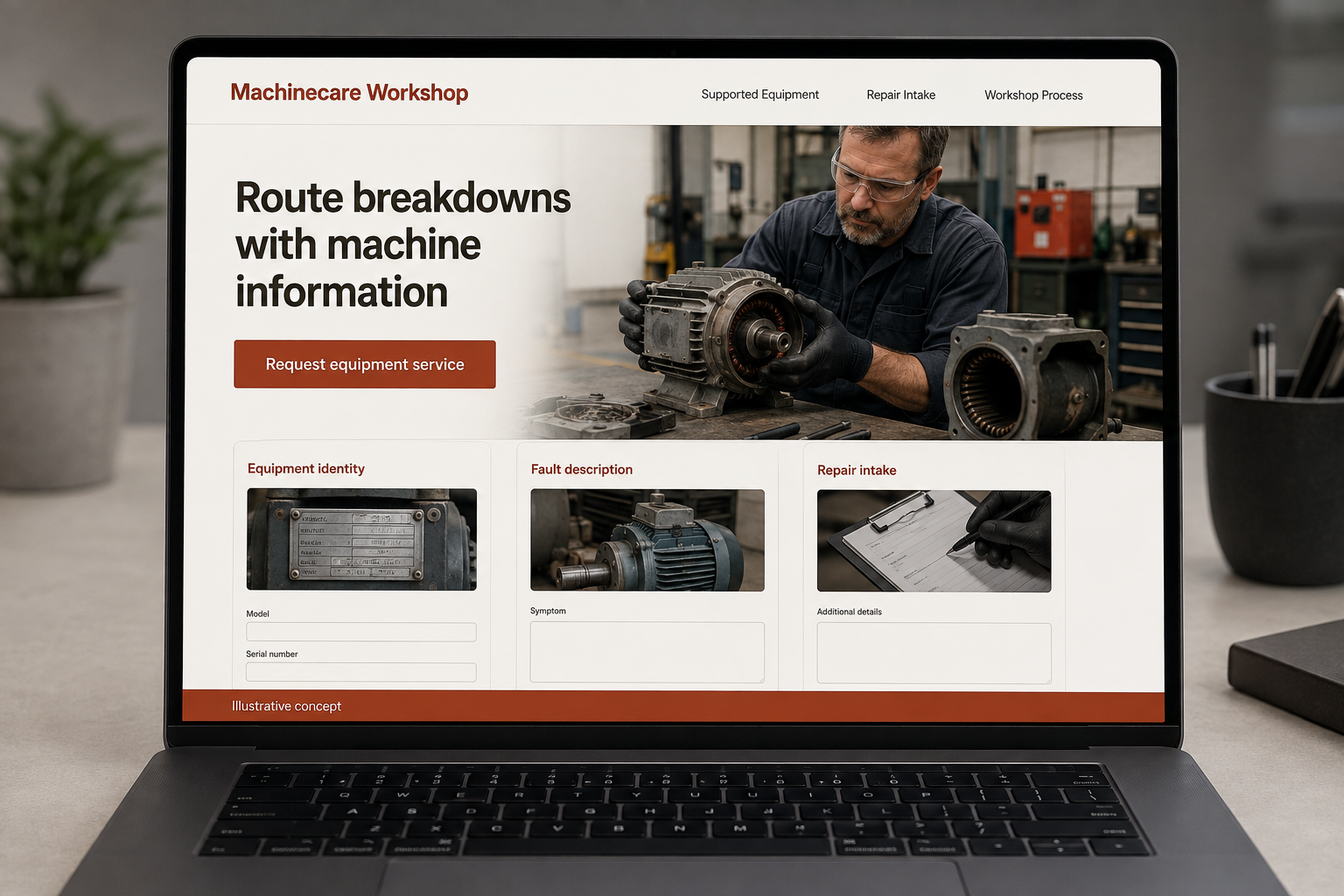
Route breakdowns with machine information
Explore equipment identity, fault description, and repair intake.
The main action is “Request equipment service”. Supporting sections cover Equipment identity, Fault description, Repair intake.
When a machine needs attention, the person arranging repair needs to identify the equipment and reach a team that actually supports it. An industrial-equipment repair website should keep those steps short and clear. Real service hours, supported categories, and the assessment process matter more than a dramatic promise to fix every fault immediately or a long gallery before the contact action.
Route a breakdown with the machine’s identity
An industrial customer needs to know whether the business supports the equipment involved and how to make contact. Put real service hours, supported categories, and the intake route near the top. Ask for the equipment identity and observed fault without offering a remote diagnosis. Avoid a universal response promise. A concise page should help an operator or maintenance coordinator reach the right team and understand what information will be needed before service can be accepted and arranged.
Explain repair intake and assessment
Describe whether equipment is reviewed on site, sent to a workshop, or handled through another actual process. State what happens before a repair proposal and how approval is obtained. Keep supported brands and capabilities accurate. Buyers need to know which parts of the job the business handles, including transport or replacement components only where offered. A sample service workflow can clarify the handoffs without implying that every machine or fault follows the same repair path or timeline.
Ask for useful details without operational secrets
A first form can request equipment type, make and model if known, location, the issue observed, and the person to contact. Allow an accessible label photo but do not ask anyone to remove guards or perform tests. Sensitive records can follow through a controlled channel. Explain whether the form is monitored for urgent requests. The confirmation should distinguish an intake submission from an accepted service call and say how the team confirms the next step with the customer.
Track accepted service requests
Review inquiries by equipment category and the reasons work cannot be taken on. Repeated requests for unsupported machines suggest that scope needs to be clearer. Helpful content can explain what information to gather for repair intake or how the workshop communicates assessment findings. Link it to the service route. Measure suitable jobs and useful first contact details, not only calls generated by broad repair keywords that may bring work beyond the company’s actual capabilities or operating coverage.
Before you launch
- Put supported equipment categories near the contact action.
- Request model details without asking users to remove guards.
- Explain whether repairs begin on site or at a workshop.
- State how urgent requests should reach the team.
What photographs should an equipment-repair form request?
Ask only for useful views the customer can obtain without changing the machine’s condition or accessing guarded areas, such as an accessible identification label. Make photographs optional when appropriate. Explain that the team reviews the information before arranging assessment, and avoid treating an uploaded image as a remote diagnosis or accepted service call.