

Explore this layout
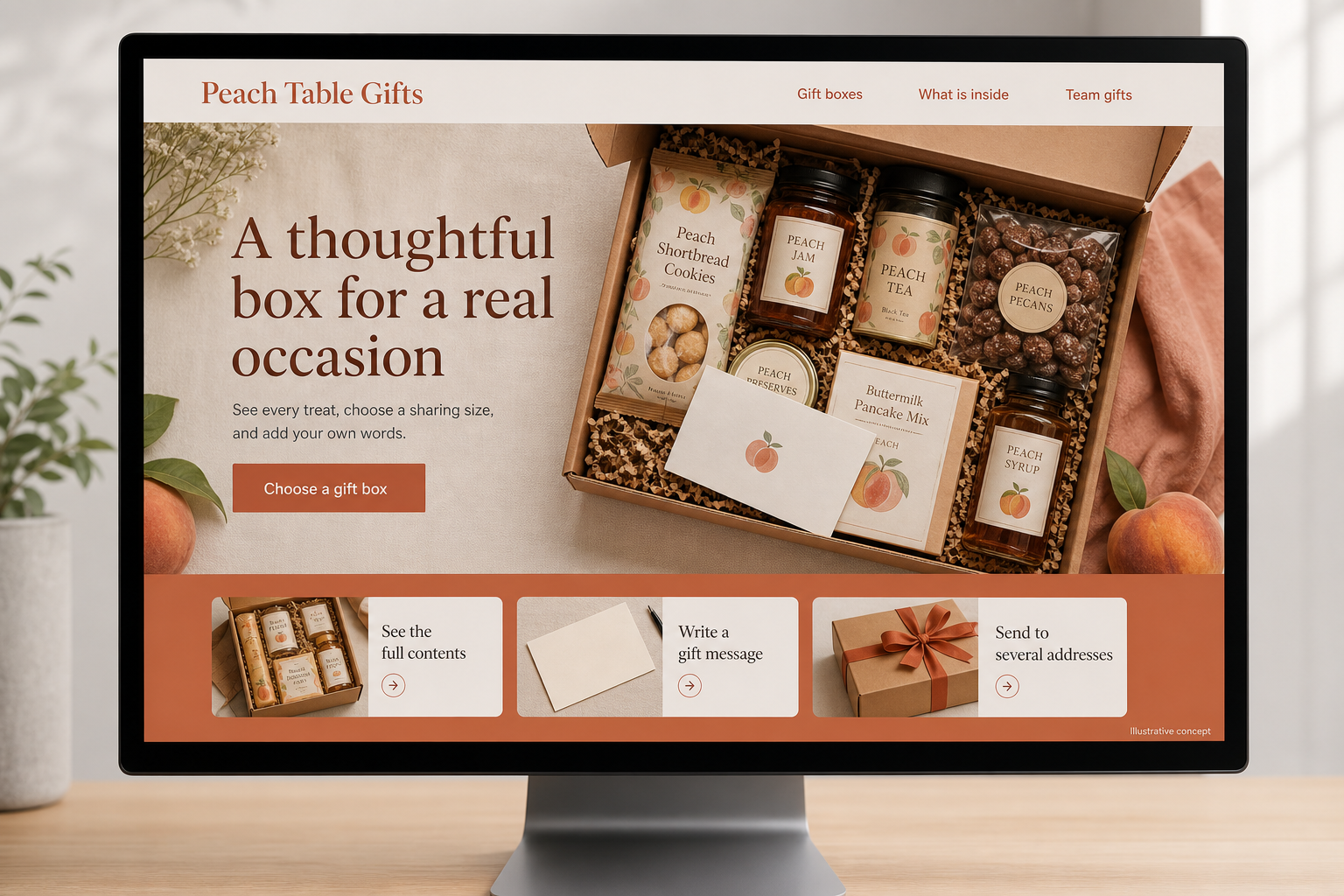
A thoughtful box for a real occasion
See every treat, choose a sharing size, and add your own words.
The main action is “Choose a gift box”. Supporting sections cover See the full contents, Write a gift message, Send to several addresses.

A gift buyer is shopping for someone else’s preferences, often against a date on the calendar. A hypothetical Georgia pantry shop selling peach-inspired shelf-stable treats should help that buyer understand the contents quickly. The page needs to answer what is in the box, how much it contains, and how the gift will be presented when it reaches the recipient.
Start with the reason for sending
Create useful entrances for a thank-you, a host gift, or a small team celebration. Explain the difference between a snack box for one person and a collection intended to share. Show every item outside the packaging, with package sizes visible in the description. A handsome closed box is a presentation photograph, not a contents list. If a peach motif appears on the packaging, distinguish that theme from products that actually contain peach ingredients.
Make pantry details easy to inspect
Provide ingredient and allergen information from each included product in a readable location before purchase. Explain any substitution process and whether customers can decline substitutions. Avoid a broad suitability label when the individual foods have different characteristics. Where the shop offers choice, let the buyer inspect the replacement item before adding it. A downloadable product list can help an office organizer review a larger gift purchase with colleagues.
Keep the recipient separate from the purchaser
Use distinct fields for delivery details, the gift message, and the purchaser’s contact information. Show the message exactly as it will appear and explain whether prices are omitted from the parcel. For multiple recipients, offer a manageable address workflow with a review step for every destination. If large lists need staff handling, provide a clear inquiry route rather than forcing a buyer to place dozens of unrelated orders.
Build seasonal pages that remain accurate
A seasonal gift page can explain the available box styles, the occasions they suit, and current ordering arrangements. Keep dispatch deadlines in an editable notice that can be retired after the event. Link evergreen advice about choosing a sharing size to current products. Measure completed gift-message orders and multi-address inquiries, and review where buyers hesitate. Questions about substitutions or parcel presentation often reveal a missing photograph or a hidden field.
Before you launch
- Show all foods outside the closed gift box.
- Keep ingredient details attached to substitutions.
- Preview the exact gift message.
- Review each destination in a multi-address order.
How should a gift shop handle an unavailable item in a curated box?
Explain the substitution approach before purchase and show the proposed alternative when possible. Preserve access to its ingredient information and let the buyer contact the shop about recipient requirements. If a particular item defines the gift, an automatic replacement may be less appropriate than offering another box or a revised dispatch date.