

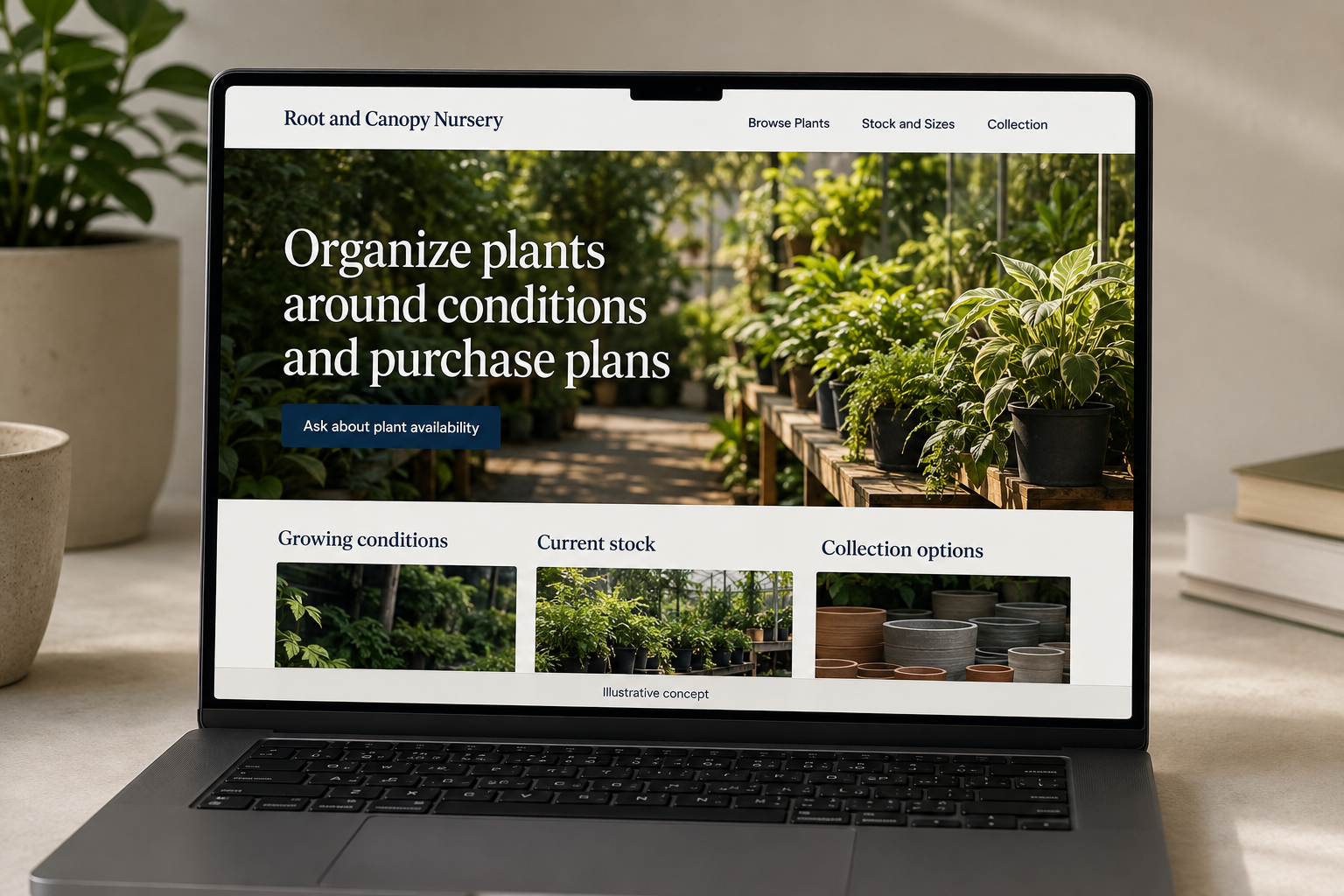
Explore this layout
Organize plants around conditions and purchase plans
Explore growing conditions, current stock, and collection options.
The main action is “Ask about plant availability”. Supporting sections cover Growing conditions, Current stock, Collection options.
Many nursery customers arrive with a shady corner or an empty container in mind before they know a plant name. A nursery website should make those browsing paths useful while keeping plant guides separate from current stock. Clear pot sizes, quantities, and reservation rules help a shopper build a realistic list and understand what will actually be waiting for collection.
Let growing conditions guide discovery
A nursery shopper may be choosing for shade, a container, or a particular space before knowing a plant name. Offer those browsing routes alongside familiar categories and search. Keep plant information accurate and specific to the item. Avoid implying every plant is suitable for every location. A useful page helps the customer create a shortlist and ask informed questions while making clear that individual site conditions and care expectations still matter when deciding what to buy from the nursery.
Distinguish the plant guide from live stock
Educational plant pages can remain useful even when stock changes, but label availability honestly. Show sizes, container options, and current prices only when maintained. If reservations are requests, say so. Photos should identify the pictured variety or be marked illustrative. Buyers need to understand whether they can order, reserve for collection, or ask the nursery to check stock. A long catalog loses trust when it silently treats every plant ever carried as available to purchase today.
Make collection and larger orders clear
Ask for the selected plants or general project need, desired quantities, and preferred collection period. Let a visitor request advice without building a full order. If trade sales are offered, provide a separate route for larger plant lists. Explain how substitutions are discussed and do not automatically treat them as equivalent. The confirmation should identify what is reserved or still awaiting review, so the customer does not travel expecting stock that the nursery has not actually set aside.
Learn from searches and stock inquiries
Track searches that produce no result, reservation requests, and completed purchases. Repeated questions about pot size or collection arrangements indicate missing product details. Content about preparing a planting shopping list can help visitors describe their space without becoming a blanket recommendation for every garden. Link it to relevant categories and the inquiry route. Measure useful visits and orders, then improve the information that lets customers arrive with a realistic shortlist rather than an assumption based only on a photograph.
Before you launch
- Separate educational plant records from live availability.
- Show supplied pot sizes on current stock listings.
- Explain whether a reservation awaits staff confirmation.
- Ask before replacing a selected plant with an alternative.
Can a plant guide stay online when the nursery has no stock?
Yes, if the guide remains accurate and its availability status is clear. Offer a stock-check or notification route only when the nursery supports it. Do not leave an order or reservation action that suggests a plant is ready for collection simply because the educational page still exists in the catalog.