

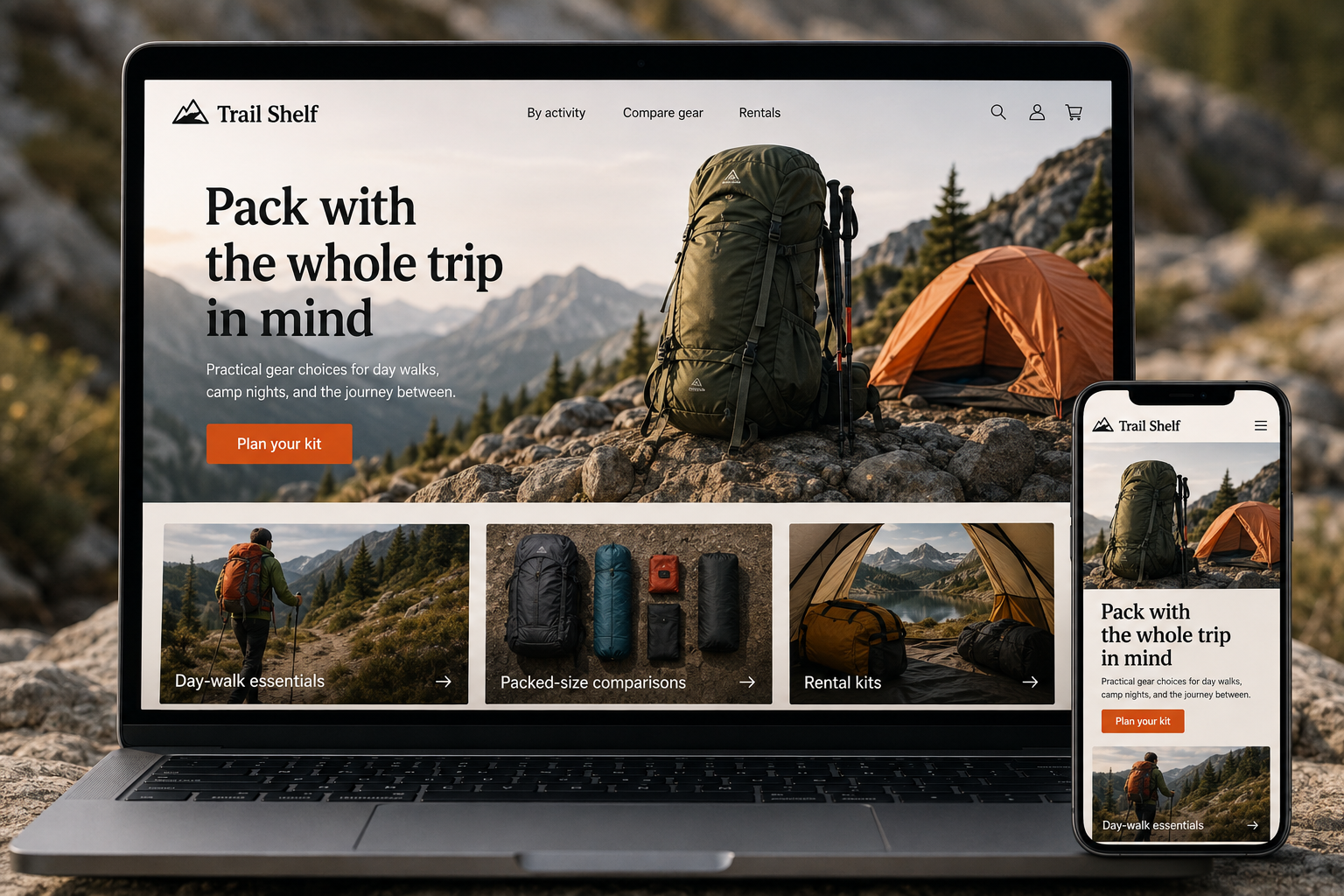
Explore this layout
Pack with the whole trip in mind
Practical gear choices for day walks, camp nights, and the journey between.
The main action is “Plan your kit”. Supporting sections cover Day-walk essentials, Packed-size comparisons, Rental kits.
Outdoor shoppers are often assembling a system rather than buying an isolated item. A sleeping bag needs to make sense alongside a mat, shelter, trip length, and the conditions a person expects. The website should help customers see those relationships. It can offer practical comparison tools without claiming that a single product makes every outing comfortable or appropriate.
Browse by the trip ahead
Create focused routes for day walks, overnight camping, and other activities the store actually supports. Explain what each collection helps solve and avoid presenting every item as essential. A beginner packing list can distinguish basics from optional conveniences. Link to category choices so people can compare alternatives within their budget. The goal is a sensible set of decisions, not a bundle that grows whenever another product can be added.
Put comparable specifications together
Show packed size, weight, materials, included parts, and manufacturer-provided usage information in a consistent place. A comparison view should compare like with like and identify missing data rather than filling gaps with assumptions. Include photographs showing scale and practical storage. For clothing and footwear, explain the fit and return process clearly. Product details become more useful when a shopper can understand how the item will travel and be used.
Explain rentals and local collection
If the store rents equipment, give rentals a distinct availability and return flow. Show what is supplied, what customers must bring, collection hours, and how condition checks work. A rental date is not the same as a shipping estimate, so keep those controls separate. For retail collection, identify when an order is ready and how customers receive confirmation. These operational details are part of preparing for a trip with a fixed departure date.
Publish questions from the gear counter
A guide comparing pack openings or explaining storage volume can help shoppers narrow a category. Keep advice grounded in product use and avoid sweeping claims about safety or performance. Link the guide to relevant comparisons and let customers ask a follow-up question. Assess whether visitors move from guides to useful product choices, rentals, or store conversations. Update references when products change so the guide remains a dependable shopping aid.
Before you launch
- Compare packed and unpacked dimensions
- List rental kit contents
- Show collection confirmation timing
- Separate optional gear from essentials
Does the site need a packing-list tool?
A simple downloadable or readable checklist may be enough initially. Interactive lists help when they reflect different trip types and let customers remove items. Keep the list useful without a purchase, and explain that individual requirements depend on the activity, conditions, and person's own plans.