

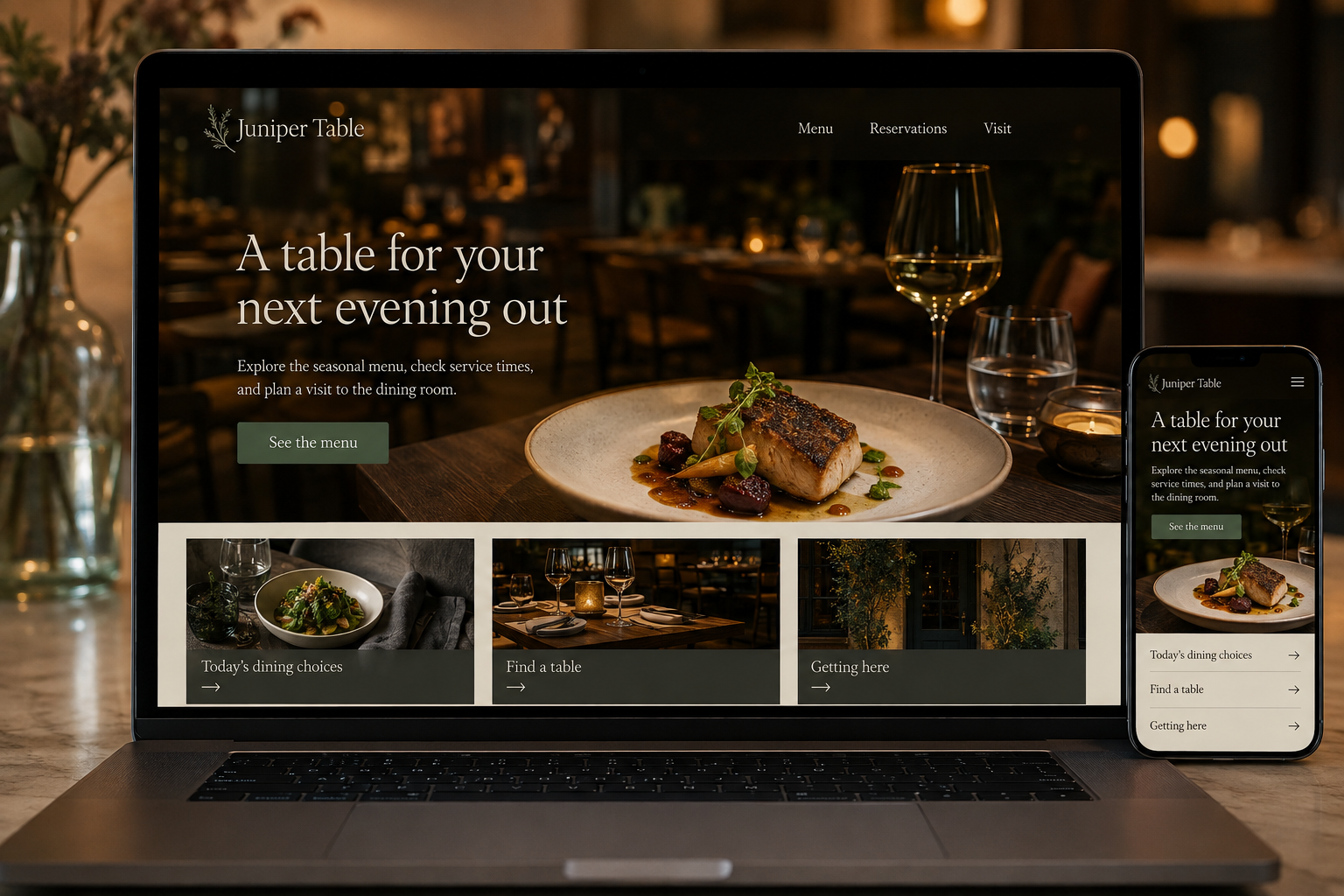
Explore this layout
A table for your next evening out
Explore the seasonal menu, check service times, and plan a visit to the dining room.
The main action is “See the menu”. Supporting sections cover Today's dining choices, Find a table, Getting here.
Choosing a restaurant usually starts with a few ordinary questions: what can we eat, when can we come, and will the place suit our group? A website should answer those before asking visitors to admire a long animation. Good food photography creates interest, but accurate menus and an easy reservation path are what turn that interest into a practical plan.
Keep the menu readable and current
Publish the menu as accessible text, with categories and prices that remain easy to scan on a phone. A downloadable version can be supplementary. Identify service-specific menus, such as lunch or weekend brunch, and show when they are available. Use accurate ingredient and dietary information, with a clear way to discuss individual requirements with the restaurant. Assign someone to update changes so old dishes do not remain the main reason customers book.
Make the reservation decision clear
Show whether guests can book, walk in, or join a waitlist, and distinguish those options honestly. A booking tool should expose available dates, party sizes, and relevant conditions before requesting unnecessary details. Explain how larger groups make an inquiry. Keep confirmation and cancellation information readable at the point of reservation. If a submission is only a request awaiting staff response, avoid presenting it as a confirmed table in the success message.
Answer the visit questions people actually ask
Keep opening hours, kitchen hours where different, address, and contact information consistent. Add specific access, seating, and arrival details that the team has verified. Describe outdoor seating or private dining without implying it is always available. Use real photographs of the space where possible. A guest planning around a stroller, a meeting, or limited time needs concrete information more than a paragraph about an unforgettable atmosphere.
Learn which visits the site supports
Track completed reservations, calls from the website, and direction requests as separate signals. Review mobile menu use and failed booking attempts, especially around busy service times. Publish occasional pages about the food or a particular dining format when they help customers choose, linking to the relevant menu or booking option. Avoid chasing page views with unrelated recipes while the dinner menu remains outdated. The most useful restaurant content supports an actual visit.
Before you launch
- Separate kitchen and opening hours
- Test booking confirmation wording
- Keep menus readable without downloads
- Verify group booking instructions
Should the homepage open with a full-screen video?
Only if guests can still reach the menu, hours, and booking action quickly. A strong photograph is often easier to maintain and lighter to load. Use video as optional atmosphere, with playback controls and a layout that remains useful when it does not play.