

Explore this layout
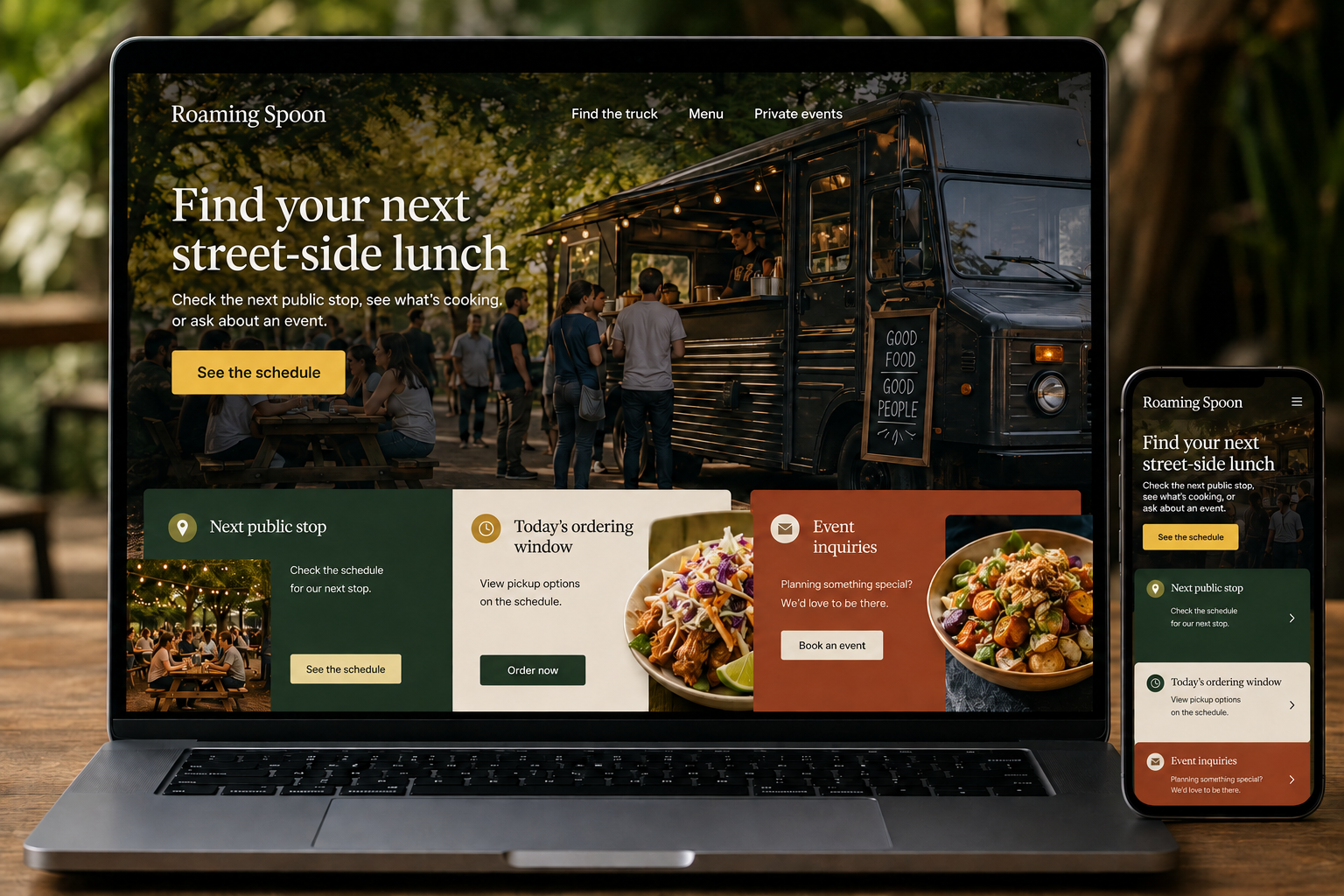
Find your next street-side lunch
Check the next public stop, see what's cooking, or ask about an event.
The main action is “See the schedule”. Supporting sections cover Next public stop, Today's ordering window, Event inquiries.
A food truck's most important page can change several times in a week. Customers want to know where it will be, whether it is serving now, and what they can order. A useful website puts that moving schedule at the center. It also gives event organizers a separate way to ask about private service without mixing their request into today's lunch queue.
Give every stop a complete entry
Publish upcoming locations with the date, service window, address, and any host or access details customers need. Distinguish public stops from private bookings. If a stop changes, update the website promptly and mark cancellations clearly instead of quietly removing the original listing. A calendar can help, but a simple chronological list is often easier on a phone. Past stops should not appear above the next place customers can actually find the truck.
Tie the menu to the service window
Show the core menu in accessible text and explain which specials or items may vary. If ordering opens only during certain hours, state that before visitors begin selecting food. An order should carry the relevant pickup location and time into its summary. Make sold-out controls straightforward for staff. Avoid accepting an order against yesterday's stop because a persistent product page still has an active buying button with no location context.
Give private events their own brief
Explain the event types, service area, space needs, and ordering formats the truck can discuss. Ask organizers for the date, address, guest estimate, service period, and a description of the setting. Clarify whether the model is host-paid catering or individual guest purchases where applicable. A request should not imply that the date is held. Useful operational questions early in the conversation help both sides identify whether the truck can suit the event.
Build discovery around places people can visit
Create stable pages explaining the food and booking process, while keeping individual stops in the schedule. Link from event announcements to the actual location entry. Measure schedule views, direction requests, completed orders, and private-event inquiries separately. The website's publishing process matters as much as its appearance: someone must be able to update a cancellation quickly from a phone while the rest of the team is preparing service.
Before you launch
- Put the next public stop first
- Carry pickup location into orders
- Mark cancelled stops visibly
- Separate private and public appearances
Should social media be the only schedule?
A social feed can spread updates, but a dedicated schedule gives customers a stable place to check the next stop without finding the right post. Keep both consistent, and make the website easy to update whenever weather, a host, or another practical issue changes a service plan.