

Choose a class you can picture yourself in See what you'll cook, how the session works, and which experience suits your starting point. The main action is “Browse classes”. Supporting sections cover Hands-on fundamentals, Technique workshops, Plan a group session.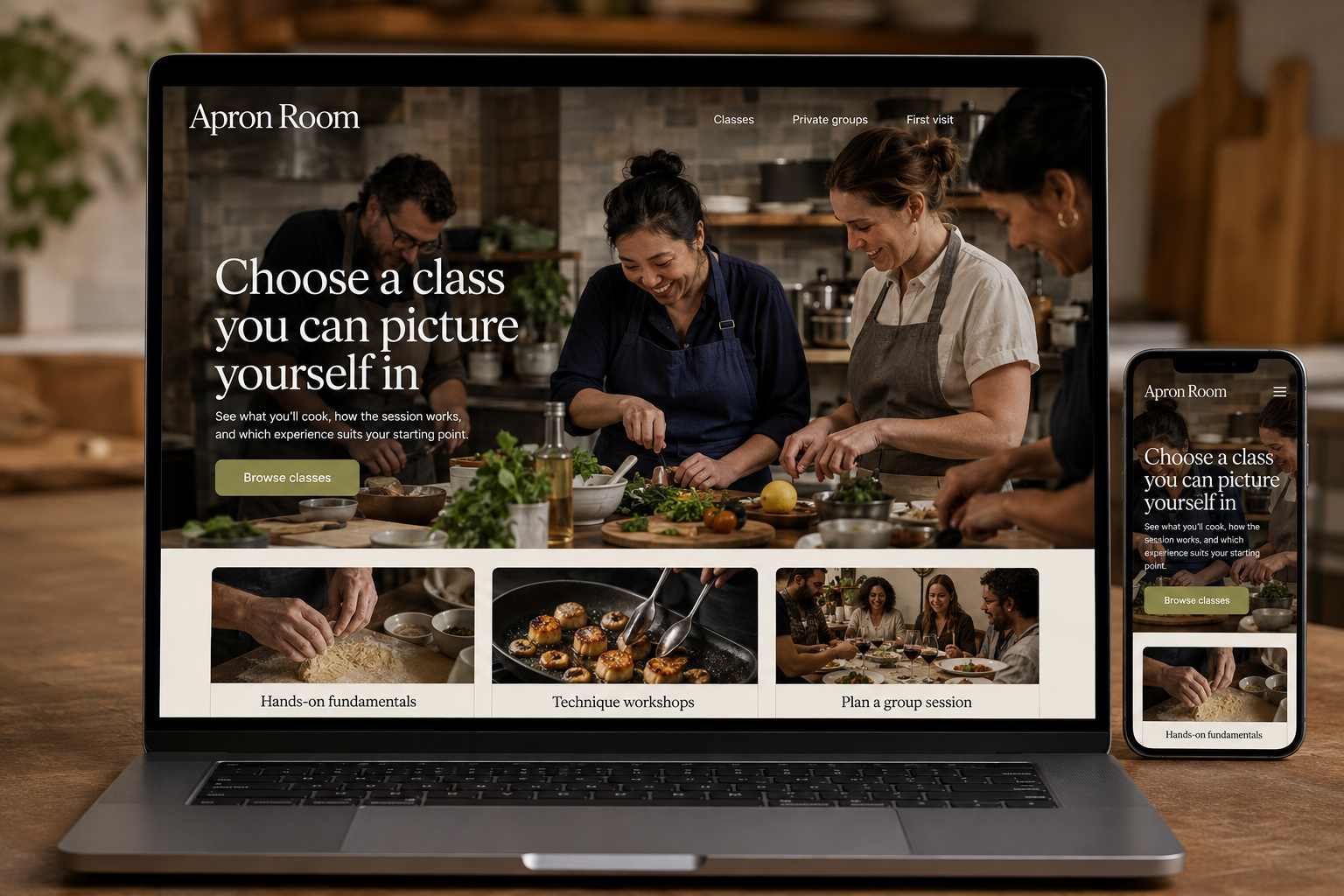
Explore this layout
People sign up for cooking classes for different reasons: learning a technique, spending time with friends, or becoming more comfortable preparing dinner. A class title alone rarely tells them whether the experience will suit them. The website should explain what participants do, what they can expect to make, and how the session works before asking them to reserve a place.
Describe the experience in the room
State whether the class is hands-on, demonstration-led, or a mixture, and explain how participants share workstations. Give a realistic indication of the experience expected. Describe the planned dishes and techniques without guaranteeing that every participant will achieve an identical result. A beginner should be able to tell whether they will practice fundamentals or be expected to keep up with unfamiliar methods. Useful photographs show the teaching arrangement as well as finished food.
Answer practical participation questions
Display the date, duration, location, age requirements where applicable, and what is included in the price. Explain whether participants eat during the class, take food home, or need to bring containers or other items. Provide accurate information about discussing individual dietary requirements before booking. Do not suggest that a menu can always be adapted. Customers need a clear point of contact and enough time to raise questions that affect whether the session suits them.
Keep public and private bookings distinct
Public classes need available places and a clear confirmation process. Private groups need an inquiry path for dates, group size, preferred format, and the occasion. Explain whether a request reserves a date or starts a discussion. For gift purchases, describe how the recipient selects a class and any conditions attached to the credit. The person buying a gift should not accidentally book a specific date that the recipient cannot attend.
Encourage the next appropriate class
Group classes into useful pathways such as foundational skills, regional menus, or particular techniques. Link from a completed event page to upcoming sessions instead of leaving a stale booking button active. Track class selection, completed reservations, and repeat attendance where the booking system supports it. Review questions from new students after booking. Missing information about shared stations or included equipment belongs on the class page so the next learner can decide with less uncertainty.
Before you launch
- Identify hands-on versus demonstration format
- Show included food and equipment
- Explain gift booking arrangements
- Close booking on finished sessions
Should every class have a skill-level label?
A label helps when it is accompanied by a description of what participants should already know. Terms such as beginner and intermediate vary between schools. Explain the techniques and pace in plain language so people can judge fit without assuming the label tells the whole story.