

Explore this layout
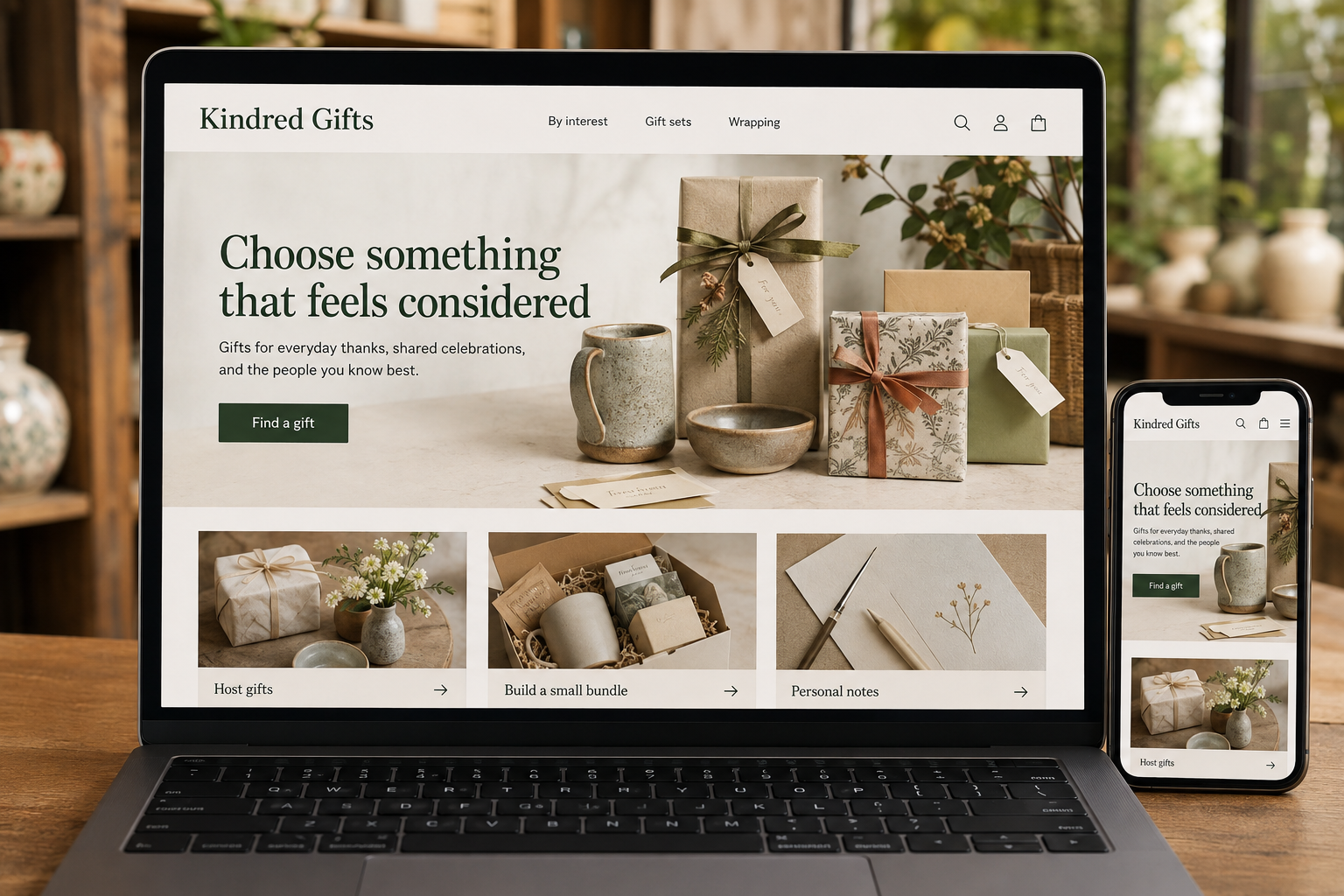
Choose something that feels considered
Gifts for everyday thanks, shared celebrations, and the people you know best.
The main action is “Find a gift”. Supporting sections cover Host gifts, Build a small bundle, Personal notes.
A gift shopper is balancing taste, budget, timing, and the relationship with the recipient. A product grid alone does little to help with that. The website should make it easier to choose something that feels considered, then carry the same care through wrapping, messages, and delivery. Small practical details can matter as much as the products themselves.
Give the shopper a useful starting point
Build collections around interests and situations rather than assuming every person wants the same gift. A selection for a keen cook can include a note about why the items belong together. Keep budget filters visible and avoid filling every collection with the same bestsellers. Editorial groupings work best when they genuinely reduce the search, whether the shopper needs a modest thank-you or something that can be shared by a household.
Explain bundles item by item
Show exactly what a gift set includes, the size of each item, and how the set is packaged. Identify any pictured props that are not included. If customers can substitute a component, update the summary before checkout. For fragile, scented, or personalized products, give the relevant practical details near the selection controls. An attractive photograph should support an accurate decision rather than asking the customer to infer the contents of the box.
Make gifting controls easy to review
Keep wrapping, a personal message, delivery address, and receipt preferences together in a clear order summary. Let customers correct a card message without restarting checkout. Explain whether multiple gifts can go to different addresses and how delivery charges work. Show the last appropriate ordering date for any stated occasion only when it reflects the actual fulfillment process. Avoid a countdown that creates urgency while leaving the delivery expectation uncertain.
Build guides around real uncertainty
Write short guides answering questions staff hear, such as choosing a host gift that travels well or sending something to a shared office. Link to relevant, available products and offer a human inquiry option for complicated orders. Track whether these guides lead to completed gifts, not just clicks. Revisit abandoned baskets and customer messages to see whether wrapping costs, delivery choices, or unavailable components are making the final decision harder.
Before you launch
- Review card text before payment
- List every bundle component
- Explain gift receipt options
- Show packaging in product photographs
Is a gift-finder quiz necessary?
Start with a few useful collections and clear filters. A quiz can help if the catalog is large and its questions genuinely narrow the options. Let shoppers skip it, show why recommendations appear, and avoid asking for personal information that is unnecessary for choosing a gift.