

Paper for plans, notes, and thoughtful words Compare formats, explore everyday desk essentials, and make selected pieces personal. The main action is “Browse stationery”. Supporting sections cover See the page layout, Find a refill, Review your lettering.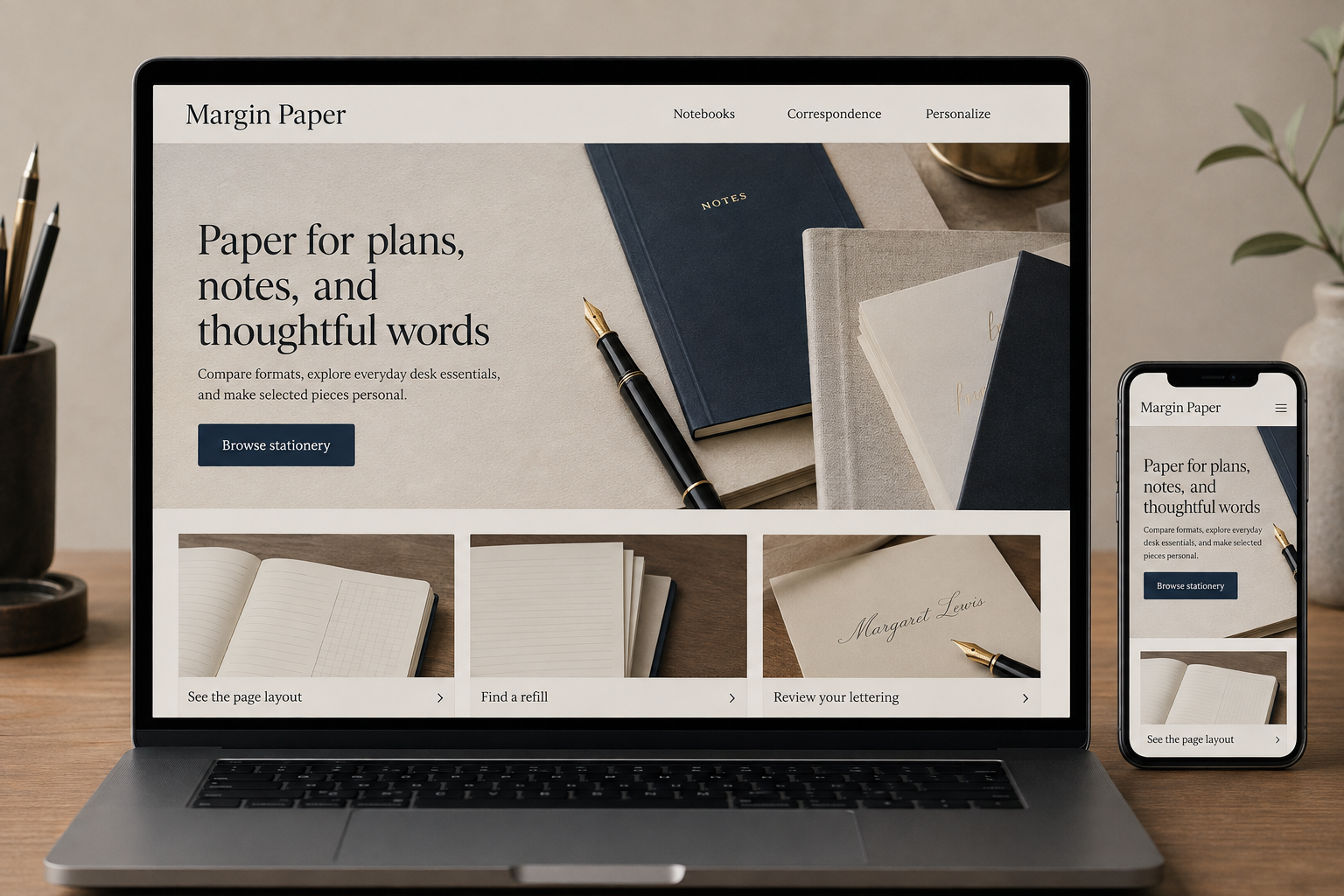
Explore this layout
Stationery is tactile, but the buying questions are often precise: will the notebook lie flat, does the refill fit, and how will a personalized name appear? A website should bring those details forward. Attractive flat-lay photography can set the mood, while close images and straightforward specifications help customers choose something that works for the way they write, organize, or give gifts.
Shop by the task on the desk
Create clear routes for note-taking, correspondence, planning, and gifts. Within those groups, show size, ruling, binding, and refill compatibility consistently. A notebook's outer dimensions are not the same as its usable page area, so provide the information that matters for the product. Let customers search known refill codes. This supports repeat buyers while giving newcomers a way to narrow choices without already knowing each brand's product vocabulary.
Explain what photographs cannot convey
Show paper texture, cover finish, interior layouts, and how a book opens. Use descriptions grounded in actual product information rather than promising every pen will behave the same on a paper. If the shop offers samples, explain how to request them. For sets, list the number and type of items, including envelopes or inserts. The customer should not have to count partially hidden pieces in a styled image to understand the purchase.
Make personalization a reviewable process
Show available fonts, placement, character limits, and an accurate preview where feasible. Explain whether the customer receives a proof and when production begins. Repeat the entered text exactly in the order summary and allow correction before submission. For bespoke invitations or larger print runs, use an inquiry path that captures quantity, timing, and format. A ready-to-order monogram and a fully custom stationery suite should not pretend to have the same workflow.
Connect inspiration to practical choices
Publish useful comparisons such as weekly versus daily layouts or selecting a correspondence set for a specific purpose. Link those guides to current stock and describe differences clearly. Watch personalization corrections, refill searches, and inquiries about paper size. These signals reveal where the site can become more helpful. Seasonal collections should lead to products with confirmed production timing, especially when a personalized gift must be approved and made before it can be dispatched.
Before you launch
- Show interior page layouts
- Validate personalization character limits
- Repeat entered text before payment
- List exact refill compatibility
Should personalized orders always include a proof?
That depends on the product and production process. Explain the rule for each item before purchase. Where a proof is provided, show how approval works and how delays affect production timing. Customers should know whether their entered text becomes the final instruction or starts a review conversation.