

Plan a play day that fits your family Explore the zones, check session times, or start planning a birthday gathering. The main action is “Plan your visit”. Supporting sections cover Find the right area, Choose a session, Compare party packages.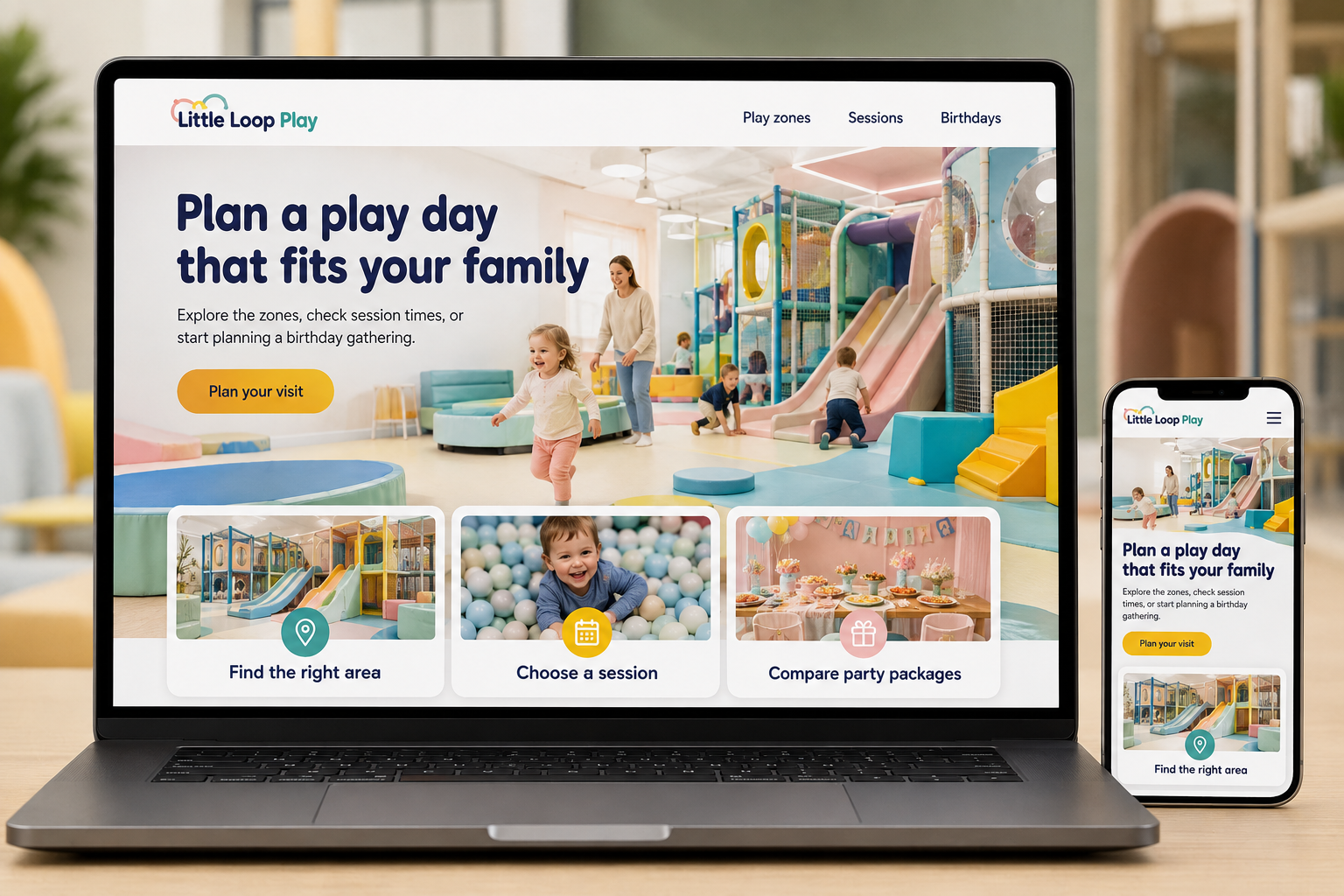
Explore this layout
Families planning an indoor play visit often need several answers at once: is the space suitable for their children's ages, how long can they stay, and what should they bring? A website should make those details easy to scan while showing the play environment honestly. Birthday organizers need an additional route with clear package information and a booking process that accounts for their group.
Show the play areas with context
Describe each zone, its intended age range or operator-defined restrictions, and how it relates to the rest of the center. Use actual photographs that help adults understand the layout rather than only close-ups of colorful equipment. Explain the center's supervision expectations and direct specific questions to staff. Avoid general claims that every child will find the same experience suitable. Concrete information helps families decide whether the setting matches their plans and preferences.
Explain the ordinary visit first
Show session lengths, entry arrangements, prices by applicable category, and how adult attendance is handled. State whether advance booking is needed or walk-ins depend on space. Keep opening hours distinct from the start and end of timed sessions. Add practical information about footwear, storage, food arrangements, and other requirements the center actually uses. A parent should be able to prepare for arrival without searching through a party brochure or an old social post.
Make birthday packages comparable
List guest numbers, room time, play time, food arrangements, and included extras for each package. Explain how additional guests or changes are handled and whether a booking is immediately confirmed. Ask for the date, child's age, expected group size, and relevant questions without collecting unnecessary information about attendees. Show when final numbers are required. A package comparison should reveal meaningful differences rather than hiding the essentials behind names such as deluxe or ultimate.
Use parent questions to improve the next visit
Publish a concise first-visit guide linked from booking confirmations and the main visit page. Measure ordinary admissions and party inquiries separately because they represent different planning journeys. Review support questions about age areas, timing, or food. If the same confusion appears repeatedly, improve the relevant page and signage. Clear practical information can help families arrive prepared and reduce the amount of time staff spend explaining basic arrangements while managing the entrance.
Before you launch
- Separate session times from opening hours
- Explain adult attendance charges
- List party play and room durations
- Show age guidance for each zone
Should birthday bookings and general admission share checkout?
They can use the same underlying system, but the customer journeys should remain distinct. Parties need group details, package choices, and preparation deadlines that ordinary admission does not. Give each path a clear summary so a parent understands exactly what has been reserved and what still needs confirmation.