

Build the setting, check the practical details Choose event pieces, set your dates, and prepare a rental request with useful context. The main action is “Explore the rental catalog”. Supporting sections cover Tables and seating, Backdrop dimensions, Your rental summary.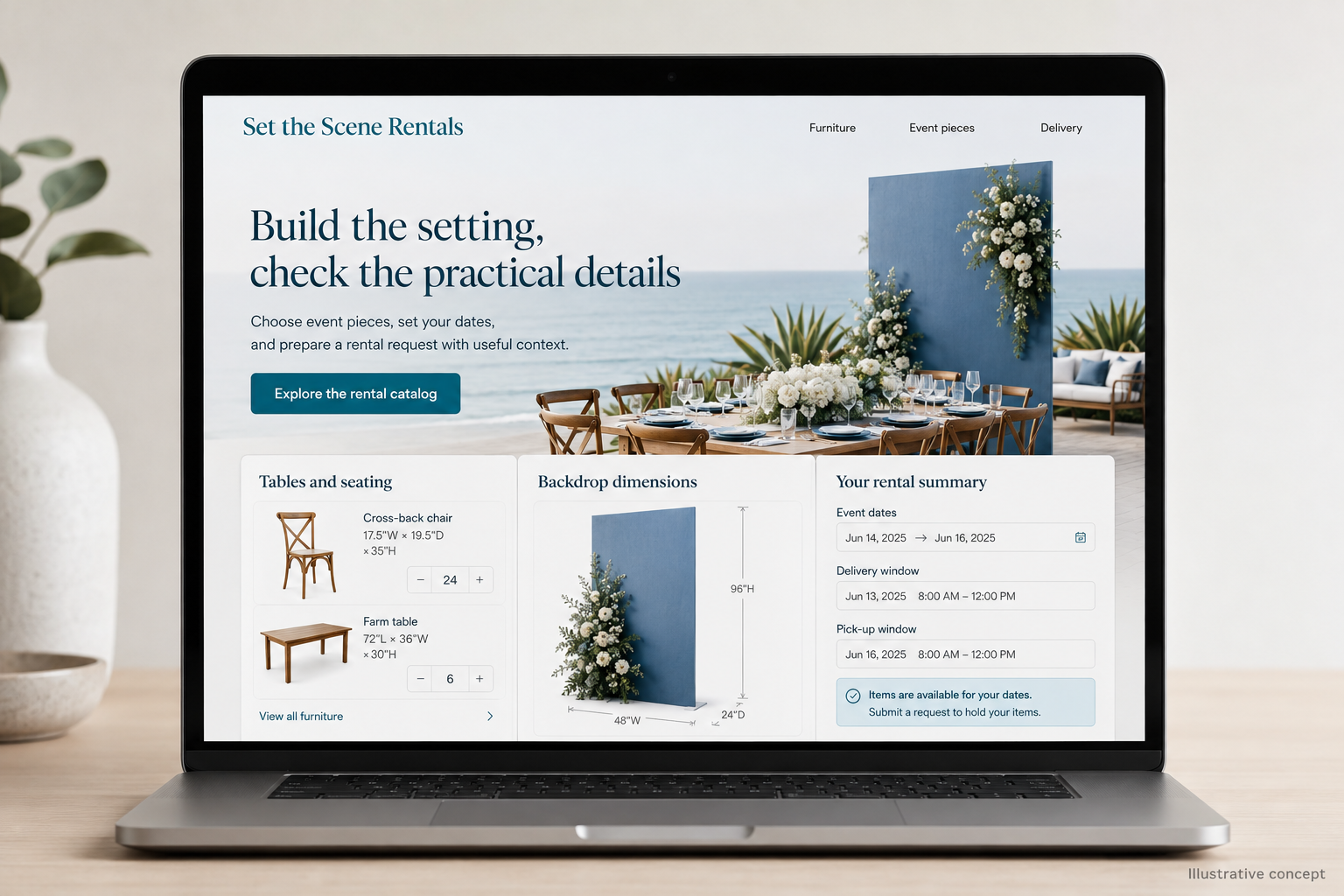
Explore this layout
Rental customers are assembling an event from objects that need to arrive together, fit the space, and be collected afterward. A catalog has to explain more than appearance and daily price. The website should help people choose appropriate quantities and understand the logistics, then turn their selection into a request the rental team can review against dates, stock, and delivery needs.
Describe items in usable terms
Show dimensions, capacity where meaningful, available finishes, and what is included with each rental. Explain whether accessories are supplied or selected separately. A table listing should help customers understand its footprint, while a backdrop needs setup dimensions rather than only the visible panel size. Use actual product photographs and label styled examples. Customers should not assume every item in an event scene belongs to the single product they have added to their quote.
Keep dates attached to the selection
Ask for the event date and rental period early enough to make availability meaningful. Explain whether the website displays confirmed stock or gathers a request for staff review. Let customers adjust quantities in a clear summary and keep unit prices distinct from total charges. If availability is provisional, say so near the action. A quote basket should not resemble a confirmed order when the business still needs to check stock and transport capacity.
Explain the handover and setup work
Distinguish customer collection, delivery, placement, and installation where offered. Ask about the venue address, access, delivery window, and collection timing. Explain how the team reviews unusual access or setup requirements before quoting. State the actual arrangements for cleaning, returns, and missing items through the business's maintained terms. Customers need to know which tasks remain theirs, especially when a venue's short access window changes what can be delivered or assembled in time.
Use planning content to improve quote quality
Publish guides about measuring an event space or compiling a rental list, staying within the team's practical knowledge. Link those guides to item specifications and the inquiry summary. Measure suitable quote requests, missing-detail follow-ups, and accepted proposals separately. Review whether customers consistently confuse seating capacity with furniture quantity or expect setup within basic delivery. Those patterns can guide better product descriptions and form fields, making the website more useful than a large catalog of attractive but underspecified objects.
Before you launch
- Show setup dimensions and accessories
- Carry event dates into quote summaries
- Separate delivery from installation
- Ask for venue access windows
Should rental customers pay immediately online?
It works when stock, dates, delivery, and scope can be confirmed reliably at checkout. More complex orders may need a reviewed quotation first. Explain which stage the customer is completing and when payment secures the arrangement, so a submitted wish list does not look like a confirmed rental booking.