

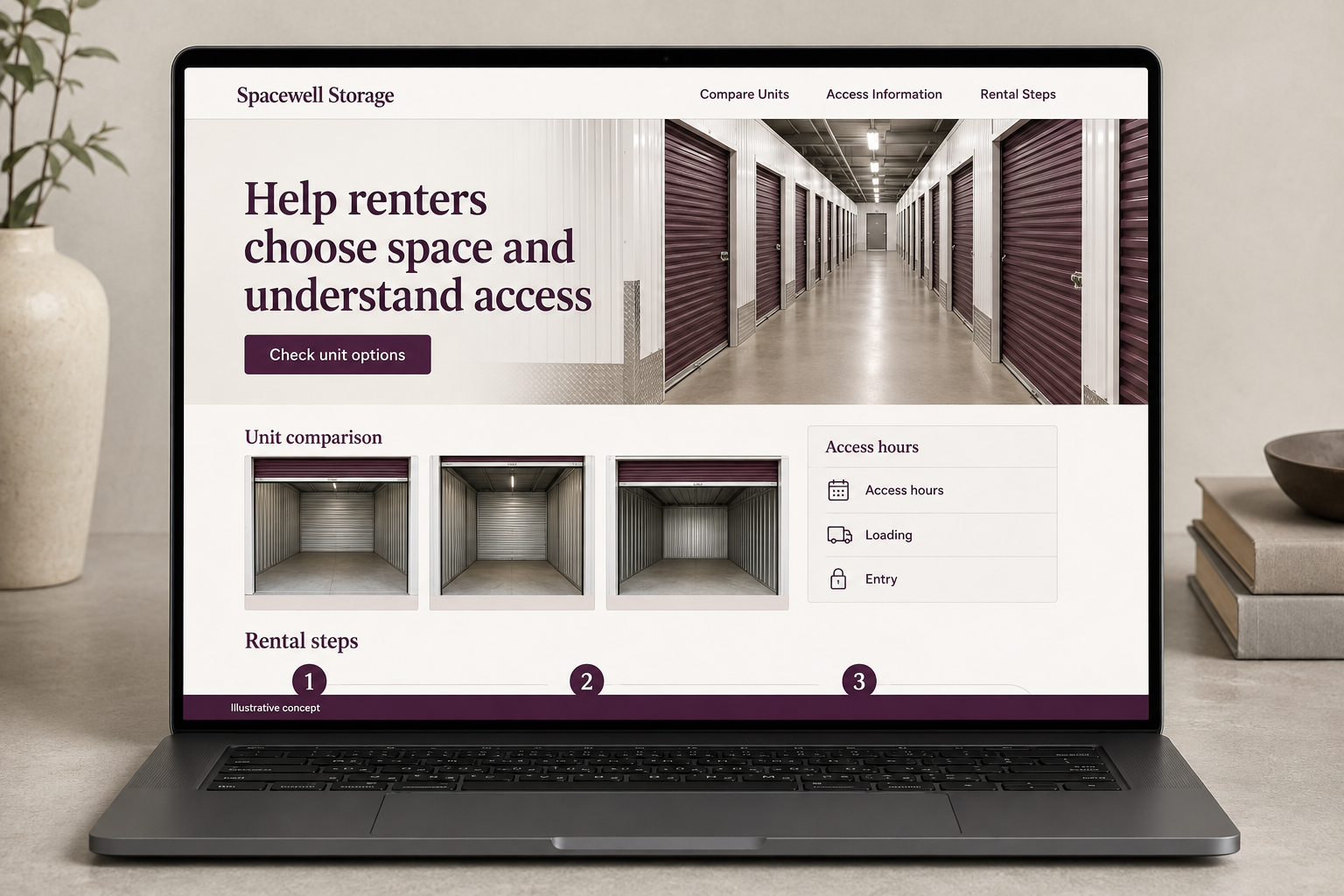
Explore this layout
Help renters choose space and understand access
Explore unit comparison, access hours, and rental steps.
The main action is “Check unit options”. Supporting sections cover Unit comparison, Access hours, Rental steps.
A storage customer is choosing both a space and a way to use it. Unit dimensions matter, but so do access hours, loading arrangements, and the steps before move in. A good website puts those details beside the unit comparison so visitors can make a realistic shortlist and understand exactly what a reservation does and does not confirm.
Help renters compare space in familiar terms
A storage shopper may not know what a unit size means. Provide dimensions, door information, and carefully labeled example contents without promising that every similar household fits. Show unit features separately from site amenities. If availability changes, keep it connected to real inventory or label it as an inquiry. A customer should be able to narrow their options before calling, while understanding that the fit depends on their actual items and how they are packed.
Put access details beside the rental choice
Opening hours, customer access hours, loading arrangements, and vehicle restrictions answer different questions. Present them clearly and use the facility’s actual policies. Do not rely on a map alone to explain where a renter enters. Photos of corridors, entrances, and loading areas can be more useful than repeated exterior views. Distinguish a reservation from a completed rental and show the steps the business requires before a customer can use the selected space.
Make price and terms understandable
If displaying rates, state the period, included features, and any actual additional charges or introductory conditions. Keep the information maintained rather than embedding it in an image. Let customers compare available unit types without creating an account first when practical. An inquiry can ask about desired size, start date, and broad storage needs. Do not collect a detailed inventory of valuable belongings in an open form simply to begin a rental conversation with the facility.
Measure whether comparisons lead to suitable rentals
Track unit views, reservations, and completed rentals separately. If callers repeatedly misunderstand access hours or unit dimensions, improve those explanations next to the selection action. A planning guide can help people create an item list and think about access needs without claiming a guaranteed size. Link it from the unit comparison. Success includes fewer mistaken bookings and clearer expectations, not just more visitors scrolling through a grid of prices that lacks essential facility context.
Before you launch
- Distinguish access and office hours
- Keep unit availability current
- Explain reservation versus rental
- Label example unit contents
How should a website illustrate unit sizes?
Show dimensions and clearly labeled example contents, then remind the reader that fit depends on their actual items and arrangement. Include door and access details where relevant. A familiar example helps people compare spaces, but it should not become a guarantee that every household with a similar room count will fit.