

See how your stay will fit Explore the rooms, practical amenities, and arrival rhythm before choosing your dates. The main action is “Explore the property”. Supporting sections cover Room-by-room layout, What's provided, Check your dates.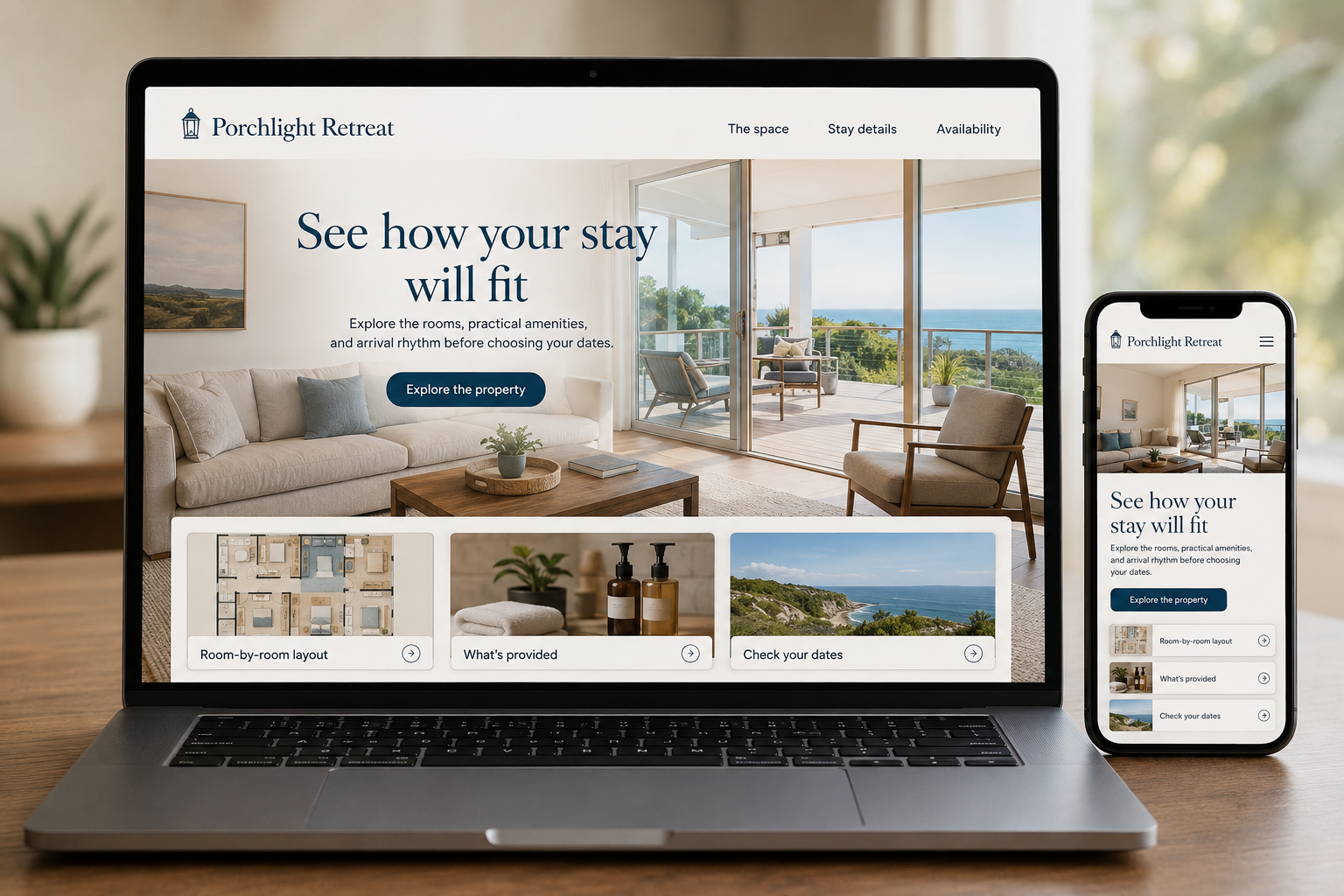
Explore this layout
A rental photograph can suggest a peaceful weekend without answering whether the second bedroom has a door or the kitchen has space to cook dinner. Guests need that level of detail to judge a property. A host's website should make the layout, facilities, and booking arrangements clear, giving visitors a realistic picture of how they would use the space during their stay.
Describe the layout as guests will use it
Show a labeled floor plan where available and explain bed configurations, bathroom access, and shared versus private areas. Distinguish bedrooms from sleeping spaces in a living room. Photographs should follow a logical path through the property rather than repeating the most attractive corner. Include practical dimensions or access details when they materially affect a stay. Guests should be able to understand how a group fits without sending several messages about the same rooms.
Replace vague amenities with useful specifics
Describe the actual cooking, laundry, outdoor, and working facilities the property provides. A workspace needs more explanation than a laptop on a dining table. Identify seasonal or shared facilities and any booking arrangements attached to them. Keep information accurate when equipment changes. Avoid copying an amenity list from another listing without checking how each item is presented. The goal is to help guests decide what they can use and what they need to bring.
Make dates and booking status clear
Keep calendars consistent across the channels the host uses and explain whether the website accepts confirmed reservations or inquiries. Repeat dates, guest count, charges, and applicable conditions before the final action. Show how questions about suitability can be raised before booking. Arrival instructions that should remain private can be sent after confirmation, while the public page still explains the general check-in process and any timing constraints that affect travel planning.
Publish information that prevents avoidable surprises
Create a practical property guide covering the questions guests ask before arrival, with public and guest-only information separated appropriately. Local suggestions should be based on checked details and maintained links. Measure suitable booking inquiries and completed reservations, then review recurring pre-arrival questions. If visitors keep asking about stairs, parking, or bedroom separation, the listing needs clearer evidence. Better fit matters more than attracting every traveler who happens to search the area.
Before you launch
- Label all sleeping spaces accurately
- Distinguish private and shared facilities
- Keep calendars synchronized
- Repeat stay dates before confirmation
Should a rental website reveal exact arrival instructions publicly?
Public pages can explain the area and general arrival arrangements. Detailed entry instructions and access codes belong in the confirmed guest communication process. Give prospective guests enough location and access information to judge suitability without publishing details that are only needed for their actual arrival.