

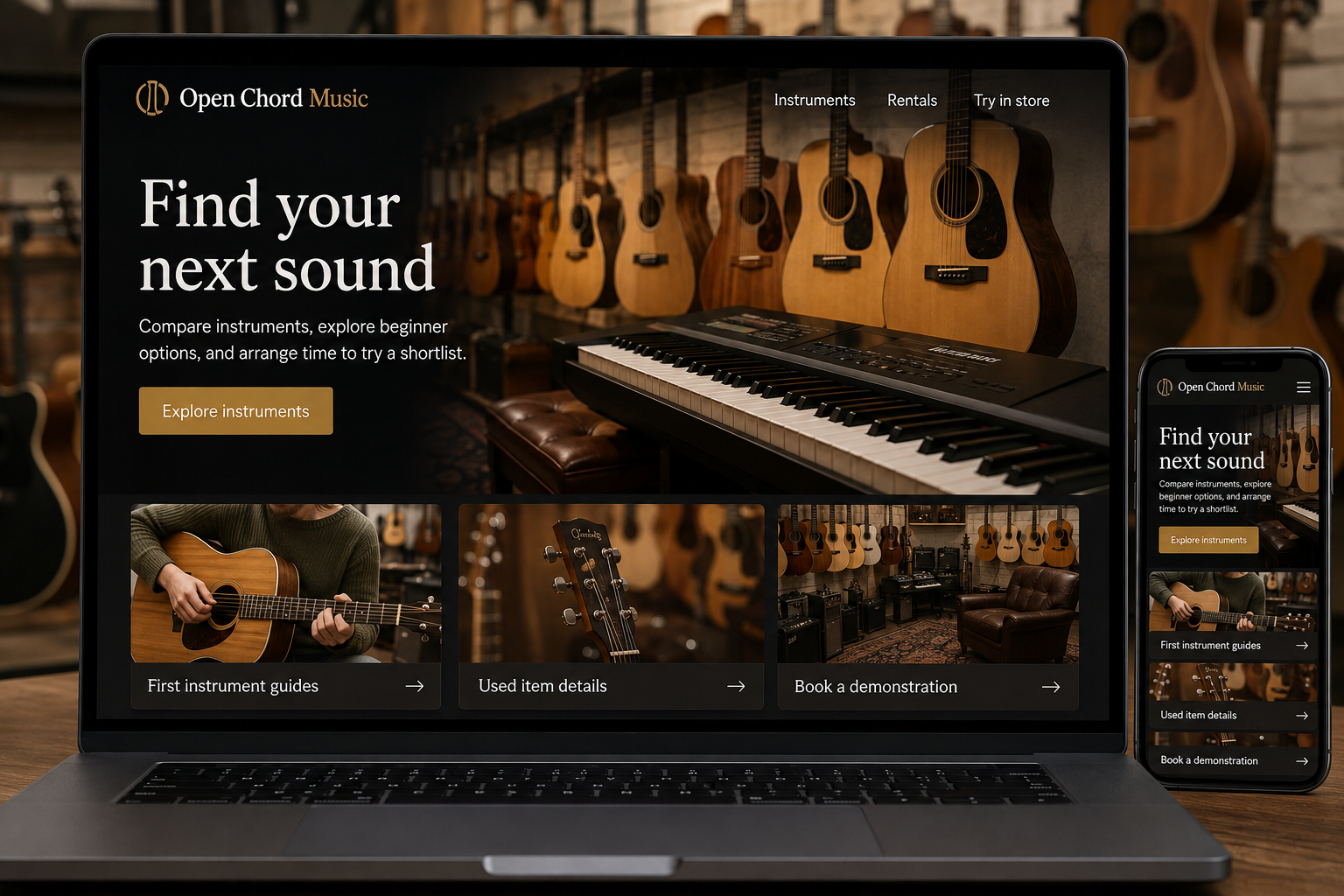
Explore this layout
Find your next sound
Compare instruments, explore beginner options, and arrange time to try a shortlist.
The main action is “Explore instruments”. Supporting sections cover First instrument guides, Used item details, Book a demonstration.
Buying an instrument can involve a lot of uncertainty, especially for a beginner or a parent. Sound, feel, size, and the equipment needed to start all influence the choice. A useful store website introduces those decisions in a manageable order. It should also make experienced players' research easier without asking every visitor to navigate a wall of technical specifications.
Let experience shape the browsing route
Provide separate starting points for first instruments, upgrades, and specific instrument families. Explain the practical differences between entry options using the player's likely setting, such as lessons at home or rehearsals with a group. Keep recommendations tied to actual products and state what else is required to begin. A keyboard listing, for example, should identify included power supplies, stands, and pedals instead of leaving customers to infer them from a staged photograph.
Make demonstrations informative
Audio or video samples should identify the instrument and the recording context. Let visitors control playback and provide written notes so the page remains useful without sound. For used instruments, show the actual item and describe its condition and any documented workshop work accurately. Compare meaningful features in a consistent format. Avoid implying that a recording guarantees how an instrument will sound in every room or in a different player's hands.
Explain rental and trial arrangements
If rentals are offered, describe the available instruments, payment structure, included accessories, and return process. Show how a customer requests a particular size or arranges a collection. Keep rental availability separate from retail stock. For in-store trials, offer a way to ask whether an instrument is ready to play before traveling. A useful appointment form can include the player's experience and the models they would like to compare without requiring a long biography.
Connect learning questions to shop support
Publish short guides about getting started, understanding connections, or comparing instrument sizes. Refer readers to a teacher or qualified technician where an individual assessment is needed. Track rental inquiries, demonstration appointments, and product purchases as separate outcomes. If a guide attracts beginners but sends them into an unexplained advanced catalog, revise the next step. The website should continue the helpful conversation a good music shop would have across the counter.
Before you launch
- List included accessories explicitly
- Label actual used-instrument photos
- Separate rental and sale availability
- Make demos playable without autoplay
Should prices appear on instruments that need a consultation?
Show a clear price when the instrument and included setup are known. A consultation can still help with suitability. If a quotation depends on configuration or additional work, explain those variables and provide a focused inquiry route rather than withholding all useful information.